Real Estate Deals
Comprehensive guide to managing your real estate transactions, pipeline, and commission tracking
Overview
The Real Estate Deals module is the core of your transaction management system. It helps you track every aspect of your real estate deals from initial lead to closing, ensuring no detail is missed and every opportunity is maximized.
Deal Dashboard Metrics
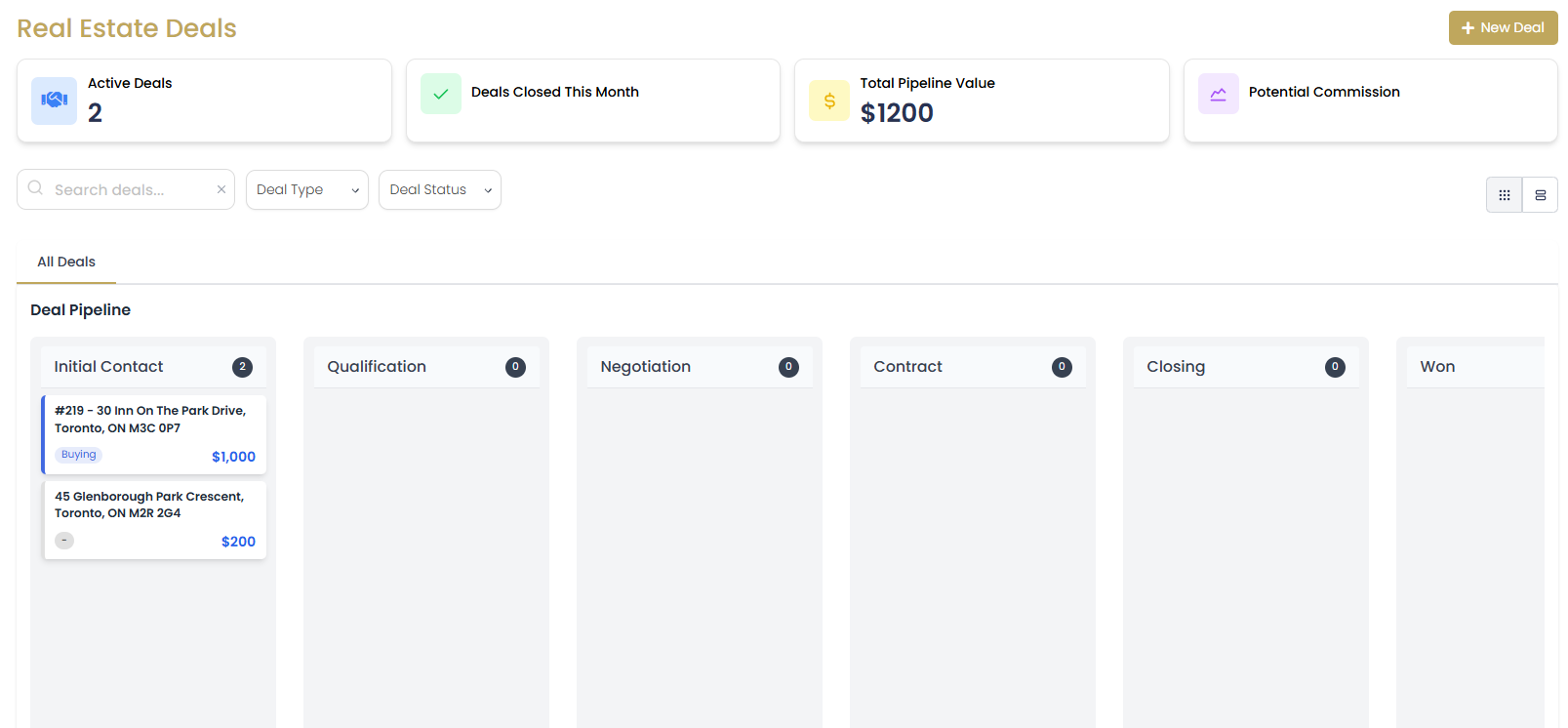
The deals dashboard provides essential business insights:
- Active Deals: Currently in-progress transactions
- Deals Closed This Month: Successfully completed transactions
- Total Commission: Expected earnings from active deals
- Average Deal Value: Mean transaction value for performance tracking
Creating New Deals
Deal Creation Process
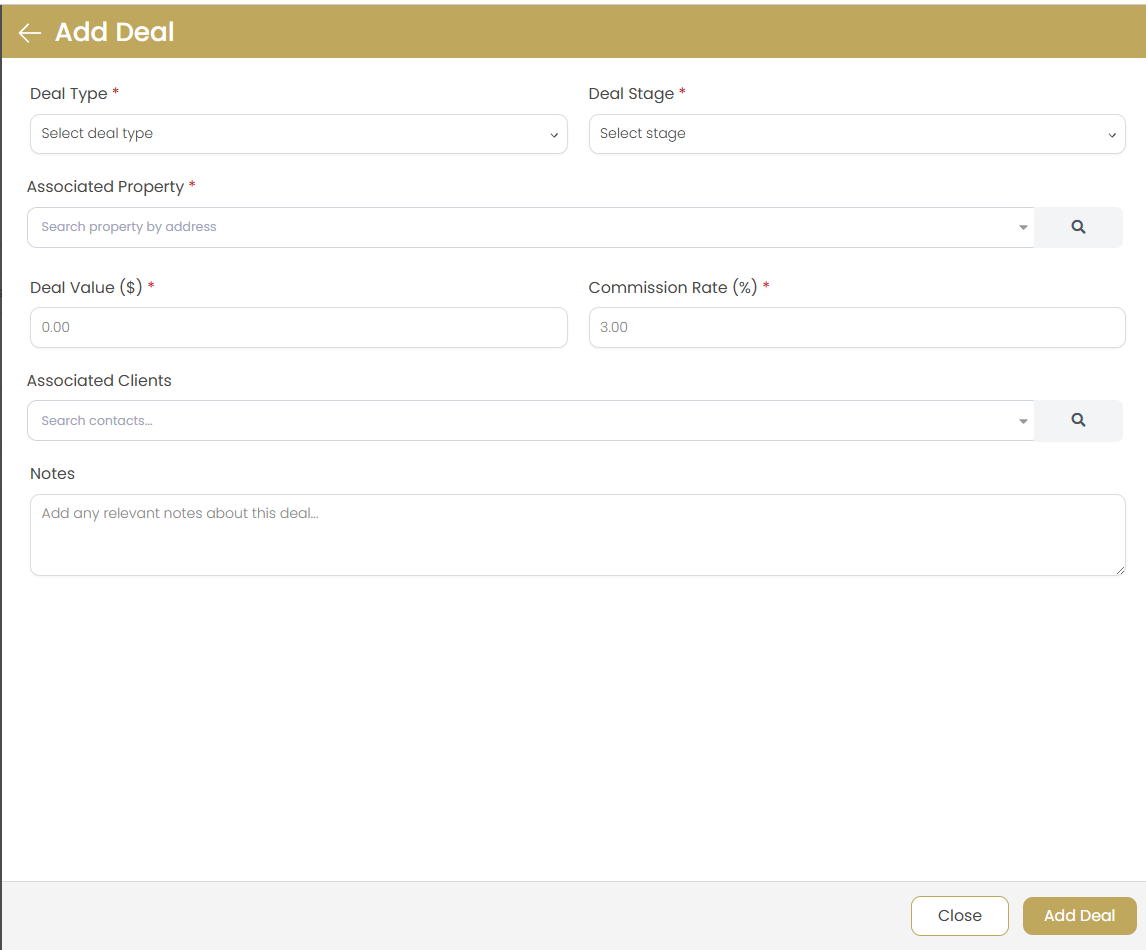
Click New Deal
Use the button to start creating a new transaction.
Select Deal Type
Choose the type of transaction:
- Buyer Deal: Representing a property buyer
- Seller Deal: Representing a property seller
- Dual Agency: Representing both buyer and seller
- Rental Deal: Lease or rental transaction
Enter Basic Information
Fill in essential deal details:
- Deal title and description
- Primary client (buyer or seller)
- Property address and details
- Expected transaction value
- Target closing date
Set Commission Structure
Configure commission details including rate, splits, and payment terms.
Save and Begin Tracking
Save the deal to start tracking progress through your sales pipeline.
Deal Pipeline Management
Standard Deal Stages
Agent Teammate CRM uses a standardized pipeline to track deal progress:
| Stage | Description | Key Activities |
|---|---|---|
| Lead | Initial interest expressed | Qualification, needs assessment, property search |
| Active Prospect | Qualified and actively looking | Property showings, market education, financing |
| Under Contract | Purchase agreement signed | Inspections, appraisal, loan processing |
| Pending | All contingencies satisfied | Final walkthrough, closing coordination |
| Closed | Transaction completed | Commission collection, follow-up, reviews |
| Cancelled | Deal did not complete | Documentation, lessons learned, client retention |
Moving Deals Through Pipeline
Monitor Deal Progress
Regularly review deals in each stage to identify bottlenecks and opportunities.
Update Deal Stage
Move deals forward by updating the stage when milestones are reached.
Add Stage Notes
Document important information when changing stages to maintain deal history.
Set Follow-up Actions
Create tasks and reminders for next steps in the deal process.
Deal Information Management
Property Details
Maintain comprehensive property information for each deal:
- Property Address: Complete address with city, state, ZIP
- Property Type: Single family, condo, townhouse, land, etc.
- Property Features: Bedrooms, bathrooms, square footage, lot size
- Listing Information: MLS number, listing agent, listing price
- Market Data: Comparable sales, days on market, price history
Financial Information
Track all financial aspects of the transaction:
- Purchase Price: Agreed-upon sale price
- Earnest Money: Deposit amounts and terms
- Financing Details: Loan amount, type, lender information
- Closing Costs: Estimated and actual closing expenses
- Commission Structure: Rate, splits, and payment details
Commission Tracking
Commission Calculation
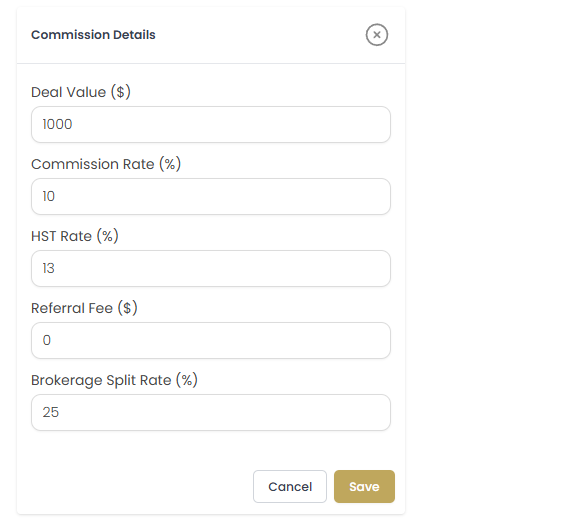
Agent Teammate CRM automatically calculates commissions based on your configured rates:
Set Commission Rate
Enter the commission percentage for the transaction (typically 2.5-3% per side).
Configure Splits
Set up commission splits with your brokerage, team members, or referral partners.
Track Payments
Record commission payments as they are received and reconcile with expectations.
Generate Reports
Use commission reports for tax preparation and business analysis.
Commission Calculator Features
- Automatic calculation based on sale price and commission rate
- Support for multiple split scenarios
- Tracking of gross vs. net commission
- Integration with expense tracking for accurate profit calculation
Deal Timeline and Milestones
Key Dates Management
Track important deadlines and milestones throughout the transaction:
| Milestone | Typical Timeline | Required Actions |
|---|---|---|
| Contract Execution | Day 0 | Review terms, ensure all signatures |
| Inspection Period | Days 1-10 | Schedule inspections, review reports |
| Appraisal | Days 5-15 | Coordinate with lender, review value |
| Loan Approval | Days 15-25 | Support buyer through underwriting |
| Final Walkthrough | 1-2 days before closing | Verify property condition |
| Closing | Day 30-45 | Coordinate all parties, review documents |
Setting Up Deal Timeline
Enter Contract Date
Set the contract execution date as the starting point for all other dates.
Add Key Milestones
Input important dates like inspection periods, appraisal, and closing date.
Create Calendar Events
Automatically generate calendar reminders for each milestone.
Track Progress
Mark milestones as complete and update timeline as needed.
Deal Collaboration
Adding Team Members
Collaborate effectively with team members on complex transactions:
- Co-listing Agents: Share deal management with partner agents
- Transaction Coordinators: Assign administrative team members
- Assistants: Provide access for support staff
- Brokerage Staff: Include broker or manager oversight
Sharing Deal Information
Add Team Members
Use the team management section to add collaborators to the deal.
Set Permissions
Configure what each team member can view and edit within the deal.
Assign Responsibilities
Delegate specific tasks and milestone management to team members.
Monitor Progress
Track team member activities and ensure all tasks are completed.
Deal Search and Filtering
Finding Deals Quickly
Use powerful search and filtering tools to locate specific deals:
Search Options
- Text Search: Search by property address, client name, or deal title
- Stage Filter: View deals in specific pipeline stages
- Date Range: Filter by creation date, closing date, or last activity
- Deal Type: Filter by buyer, seller, or rental deals
- Price Range: Find deals within specific value ranges
- Agent Filter: View deals by specific team members
Custom Views
Create Custom Filter
Combine multiple search criteria to create specialized views.
Save Filter as View
Save frequently used filter combinations for quick access.
Share Views with Team
Make custom views available to other team members.

Deal Reporting and Analytics
Performance Metrics
Track your deal performance with comprehensive analytics:
- Conversion Rates: Lead to deal conversion percentages
- Average Deal Value: Mean transaction value over time
- Time to Close: Average days from contract to closing
- Commission Trends: Monthly and yearly commission analysis
- Pipeline Health: Distribution of deals across stages
Generating Deal Reports
Access Reports Section
Navigate to the reports area within the deals module.
Select Report Type
Choose from pre-built reports or create custom reports.
Configure Parameters
Set date ranges, filters, and other report parameters.
Export or Share
Download reports or share them with team members and brokers.
Best Practices
Deal Pipeline Management
- Regular Updates: Update deal stages and information weekly
- Milestone Tracking: Set and monitor all key deadlines
- Communication Logs: Document all client and vendor interactions
- Proactive Management: Anticipate and address potential issues early
Commission Accuracy
- Verify Rates: Confirm commission rates with all parties before contract
- Document Splits: Clearly document all commission split agreements
- Track Changes: Update commission details if contract terms change
- Reconcile Payments: Compare received payments with calculated amounts
Team Collaboration
- Clear Roles: Define responsibilities for each team member
- Regular Updates: Schedule team check-ins on active deals
- Shared Resources: Maintain centralized deal documents and information
- Backup Plans: Have contingency plans for team member availability
Troubleshooting
Commission Calculations Incorrect
Cause: Incorrect commission rate or split configuration.
Solution: Review and update commission settings in the deal details. Verify all split percentages total 100%.
Cannot Move Deal to Next Stage
Cause: Required fields or milestones not completed.
Solution: Check for any required information or completed milestones before advancing stage.
Team Members Cannot Access Deal
Cause: Insufficient permissions or not added to deal team.
Solution: Verify team member permissions and ensure they are added to the deal collaboration list.