Deal Details
Comprehensive guide to managing individual real estate transactions from contract to closing
Overview
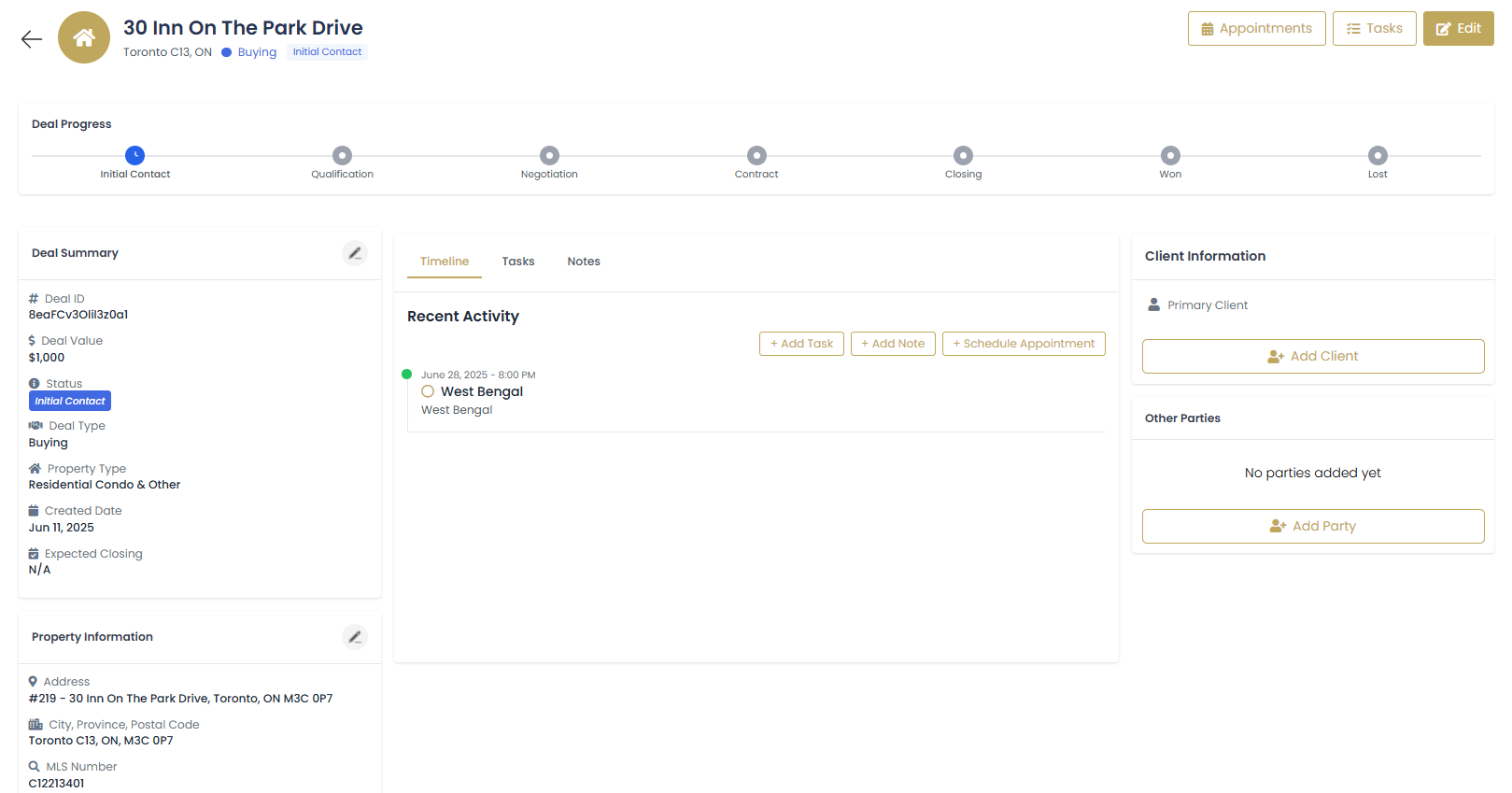
The Deal Details page is your command center for managing individual real estate transactions. This comprehensive view provides everything you need to track progress, manage documentation, communicate with parties, and ensure successful deal completion.
Deal Details Sections
- Deal Overview: Summary of transaction details and current status
- Timeline: Chronological activity log and milestone tracking
- Client Information: All parties involved in the transaction
- Commission Details: Financial tracking and commission calculations
- Key Dates: Important deadlines and milestone management
- Documents: Contract documents, disclosures, and related files
Deal Timeline Management
Activity Timeline
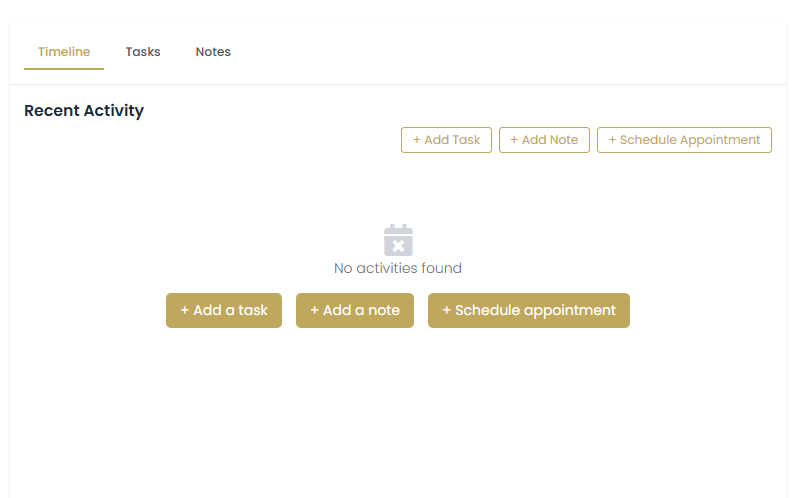
The timeline provides a chronological view of all deal activities, communications, and milestones:
Tracked Activities
- Contract Events: Execution, amendments, and modifications
- Communications: Emails, calls, and meetings with all parties
- Milestones: Inspection periods, appraisal, loan approval
- Document Activity: Document uploads, signatures, and sharing
- Status Changes: Deal stage progressions and updates
Adding Timeline Entries
Access Timeline Section
Navigate to the "Timeline" tab within the deal details page.
Add New Activity
Click to record a new event.
Select Activity Type
Choose from activity types: Call, Email, Meeting, Document, Milestone, or Note.
Enter Activity Details
Provide comprehensive details about the activity, including participants and outcomes.
Set Follow-up Actions
Create tasks or reminders for any required follow-up activities.
Client Information Management
Managing Transaction Parties
Track all parties involved in the real estate transaction:
| Party Type | Role | Information Tracked |
|---|---|---|
| Primary Client | Buyer or Seller | Contact info, preferences, communication history |
| Co-Client | Spouse, Partner | Joint decision maker contact and preference details |
| Other Agent | Buyer's/Seller's Agent | Contact info, brokerage, communication preferences |
| Lender | Mortgage Provider | Loan officer contact, loan details, deadlines |
| Title Company | Closing Agent | Company info, escrow officer, closing location |
| Inspector | Home Inspector | Contact info, inspection schedules, report details |
Adding and Managing Parties
Access Client Information
Navigate to the "Client Information" section of the deal details.
Add New Party
Click to include additional transaction participants.
Select from Contacts
Choose existing contacts from your database or create new contact records.
Define Role and Relationship
Specify each party's role in the transaction and their relationship to your client.
Configure Communication
Set communication preferences and permissions for each party.
Commission Details Tracking
Commission Structure Setup
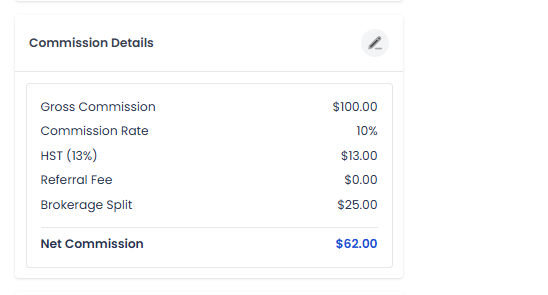
Accurately track all commission and financial aspects of your deals:
Commission Components
- Gross Commission: Total commission earned on the transaction
- Commission Rate: Percentage of sale price (typically 2.5-3%)
- Brokerage Split: Your share vs. brokerage share
- Team Splits: Distribution among team members
- Referral Fees: Payments to referring agents or sources
- Net Commission: Final amount after all splits and fees
Setting Up Commission Tracking
Enter Sale Price
Input the agreed-upon sale price from the purchase contract.
Set Commission Rate
Enter your commission percentage (e.g., 2.5% for buyer's agent side).
Configure Splits
Set up splits with brokerage, team members, and any referral partners.
Add Transaction Costs
Include deal-related expenses to calculate true net profit.
Track Payment Status
Update payment status as commission is received after closing.
Key Dates and Milestone Management
Critical Transaction Dates
Manage all important deadlines and milestones throughout the transaction:
| Milestone | Typical Timing | Description |
|---|---|---|
| Contract Date | Day 0 | Purchase agreement execution date |
| Inspection Period End | Days 5-10 | Deadline for home inspection and objections |
| Appraisal Date | Days 10-15 | Property appraisal for loan approval |
| Loan Approval Deadline | Days 20-30 | Final loan approval and clear to close |
| Final Walkthrough | 1-2 days before closing | Final property inspection by buyer |
| Closing Date | Days 30-45 | Final transaction and deed transfer |
Managing Dates and Reminders
Set Initial Dates
Enter all key dates from the purchase contract into the system.
Create Calendar Events
Automatically generate calendar appointments for each milestone.
Set Reminders
Configure reminder notifications 24-48 hours before each deadline.
Track Completion
Mark milestones as complete and update any changed dates.
Communicate Changes
Notify all parties when dates are modified or extended.
Document Management
Transaction Documents
Organize and manage all deal-related documents in one secure location:
Document Categories
- Contracts: Purchase agreements, addendums, amendments
- Disclosures: Property disclosures, lead-based paint, HOA documents
- Financial: Loan documents, pre-approval letters, financial statements
- Inspections: Home inspection reports, repair estimates
- Title/Escrow: Title reports, escrow instructions, closing statements
- Correspondence: Important emails, letters, and communications
Document Upload and Organization
Access Documents Section
Navigate to the "Documents" tab in the deal details page.
Upload Documents
Use or drag-and-drop to add files.
Categorize and Tag
Assign appropriate categories and tags for easy retrieval.
Set Permissions
Control who can view, download, or modify each document.
Version Control
Track document versions and maintain history of changes.
Document Security
- All documents are encrypted and stored securely
- Access logs track who views or downloads documents
- Digital signatures can be collected for appropriate documents
- Automatic backup ensures documents are never lost
Communication Hub
Centralized Communication
Keep all deal-related communications organized and accessible:
Communication Features
- Email Integration: Send and track emails directly from the deal
- Message Center: Internal notes and messages between team members
- Client Portal: Secure client access to deal information and documents
- Automated Updates: Status updates sent to all parties automatically
Setting Up Communication
Configure Email Templates
Create templates for common deal communications (contract updates, reminders, etc.).
Set Notification Preferences
Choose who receives automatic notifications for various deal events.
Enable Client Portal
Provide clients with secure access to view deal progress and documents.
Track Communications
Monitor all communications to ensure all parties stay informed.
Deal Analytics and Reporting
Performance Metrics
Track key performance indicators for individual deals and overall business performance:
- Days to Close: Time from contract to closing
- Commission per Hour: Efficiency measurement
- Client Satisfaction: Post-closing feedback scores
- Referral Generation: New business from completed deals
Generating Deal Reports
Access Reporting Tools
Navigate to the reports section within deal details.
Select Report Type
Choose from deal summary, commission report, or timeline analysis.
Configure Parameters
Set date ranges and specific data points to include.
Export and Share
Export reports for broker reviews, tax preparation, or client presentations.
Best Practices
Deal Management Excellence
- Regular Updates: Update deal information and timeline entries daily
- Proactive Communication: Keep all parties informed of progress and changes
- Document Everything: Maintain detailed records of all interactions and decisions
- Monitor Deadlines: Set multiple reminders for critical dates and milestones
Client Service
- Transparency: Provide clients with regular updates and portal access
- Responsiveness: Respond to client questions and concerns promptly
- Education: Help clients understand each step of the transaction process
- Preparation: Prepare clients for what to expect at each milestone
Risk Management
- Contract Review: Carefully review all contract terms and deadlines
- Backup Plans: Have contingency plans for common deal challenges
- Communication Logs: Document all verbal agreements and conversations
- Professional Network: Maintain relationships with reliable vendors and professionals