Testimonials Management
Collect, manage, and display client testimonials and reviews to build trust and credibility with potential customers
Overview
The Testimonials Management system allows you to showcase positive feedback from your clients on your website. Client testimonials are powerful social proof that can significantly influence potential customers' decisions and help build trust in your real estate services.
Key Benefits
- Build Trust: Show authentic feedback from satisfied clients
- Social Proof: Demonstrate your track record of success
- Professional Display: Showcase testimonials with ratings and photos
- Easy Management: Simple interface for adding and updating testimonials
Adding New Testimonials
Access Testimonials Management
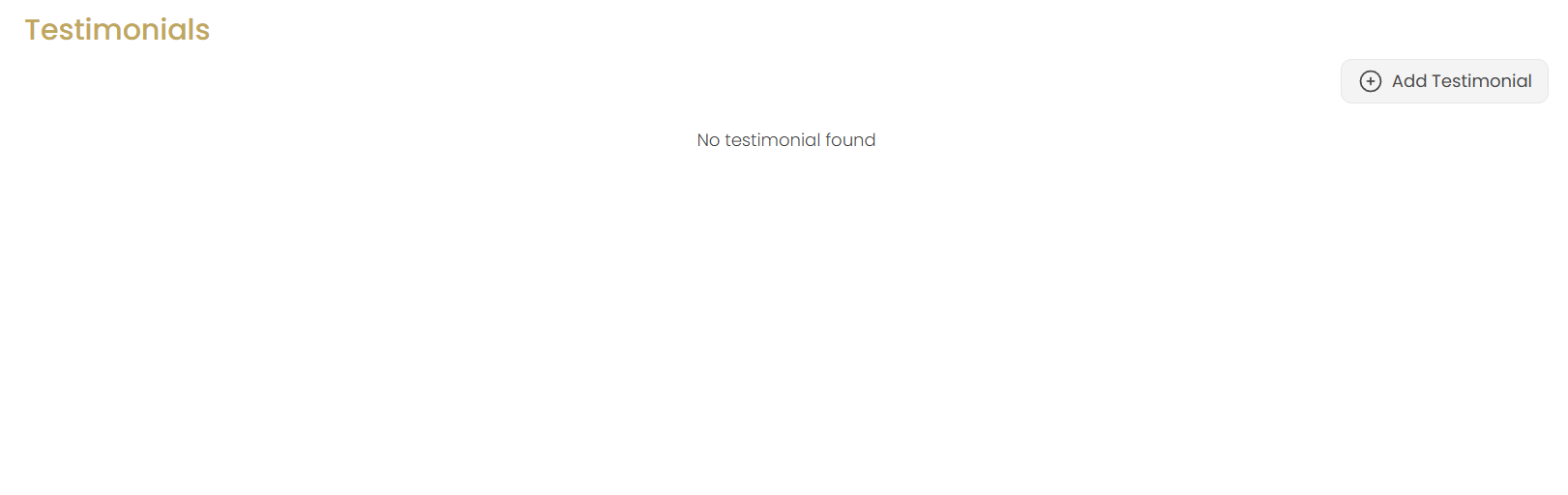
Navigate to the Testimonials section in your website management area. If no testimonials exist, you'll see "No testimonial found" with an option to add your first testimonial.
Click Add Testimonial
Click the Add Testimonial button to open the testimonial creation form.
Enter Client Information
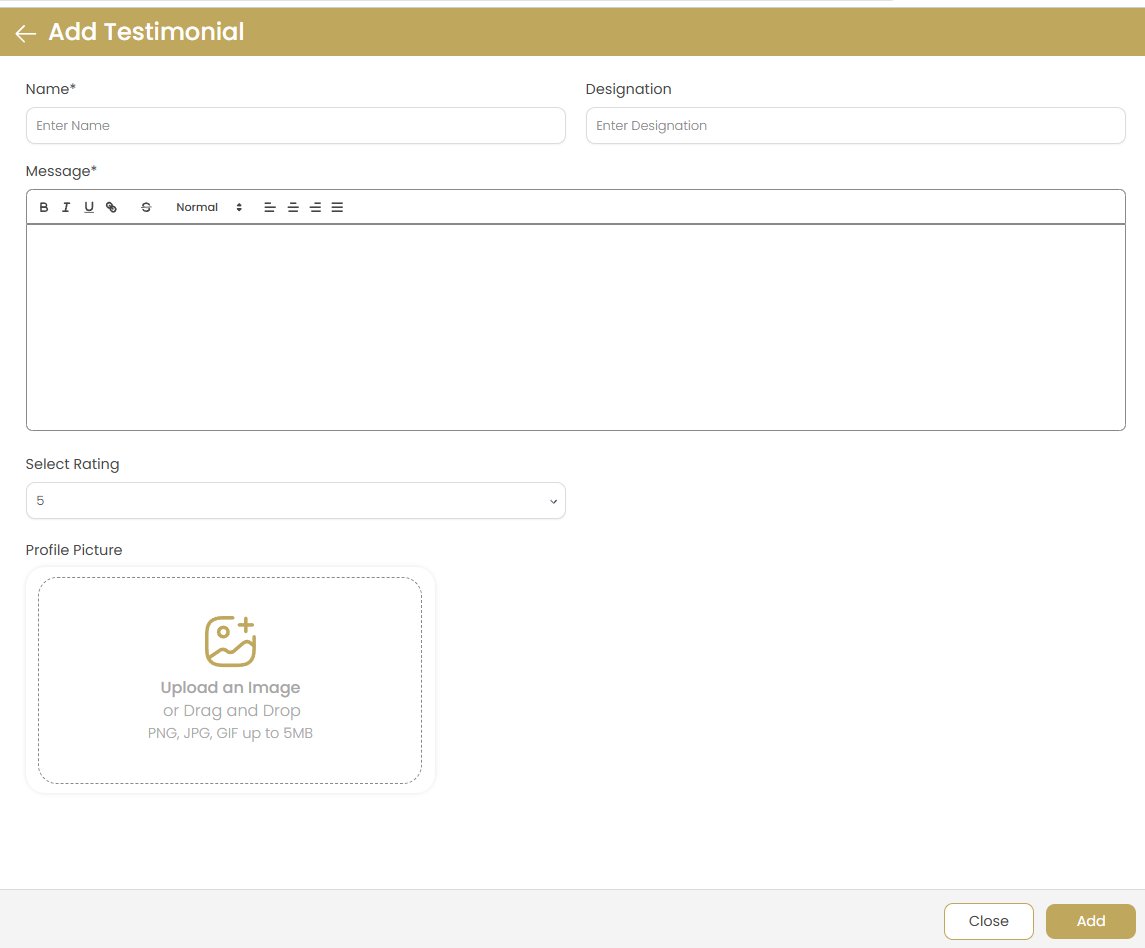
Fill in the basic client information:
- Name (Required): Enter the client's full name as they want it displayed
- Designation (Optional): Add their job title, company, or relevant description (e.g., "First-time Homebuyer", "Real Estate Investor")
Privacy Note: Always get permission from clients before using their names and information in testimonials.
Write the Testimonial Message
Use the rich text editor to compose the testimonial:
- Authentic Voice: Use the client's own words whenever possible
- Specific Details: Include specific outcomes and experiences
- Formatting Options: Use bold, italic, and formatting tools for emphasis
- Professional Tone: Ensure the message reflects well on both you and the client
- Appropriate Length: Keep testimonials concise but impactful (2-4 sentences ideal)
Set Star Rating
Select the rating from the dropdown menu:
- Choose from 1-5 stars based on the client's feedback
- Most testimonials should be 4-5 stars for positive impact
- Ratings provide quick visual assessment for website visitors
- Be honest and accurate with the rating provided by the client
Upload Profile Picture
Add a client photo to make the testimonial more personal and credible:
- Supported Formats: PNG, JPG, GIF up to 5MB
- Upload Methods: Click to browse files or drag and drop
- Best Practices: Use professional headshots or clear photos
- Privacy: Ensure you have permission to use the client's photo
- Optional: You can create testimonials without photos if preferred
Save Testimonial
Click Add to save the testimonial or Close to cancel without saving.
Managing Existing Testimonials
View Testimonials List
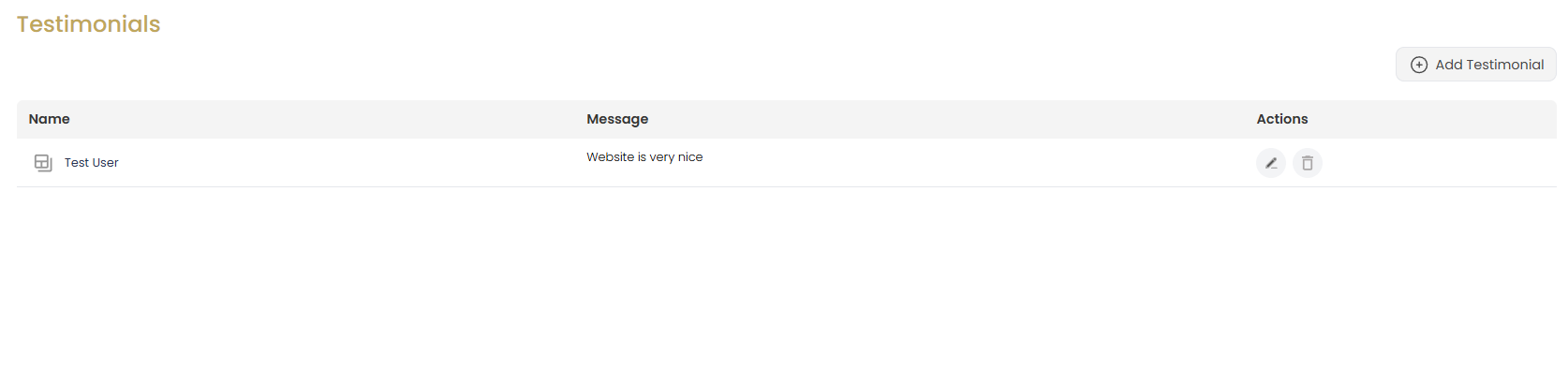
The testimonials list displays all your client testimonials with:
- Name: Client's name with an expandable icon to view full details
- Message: Preview of the testimonial content
- Actions: Edit and delete buttons for each testimonial
Expand for Details
Click the expand icon next to a client's name to view the complete testimonial including rating, full message, and profile picture if available.
Edit Testimonial
Click the edit icon (pencil) to modify an existing testimonial. This opens the Update Testimonial form with current information pre-filled.
Updating Testimonials
Modify Testimonial Details
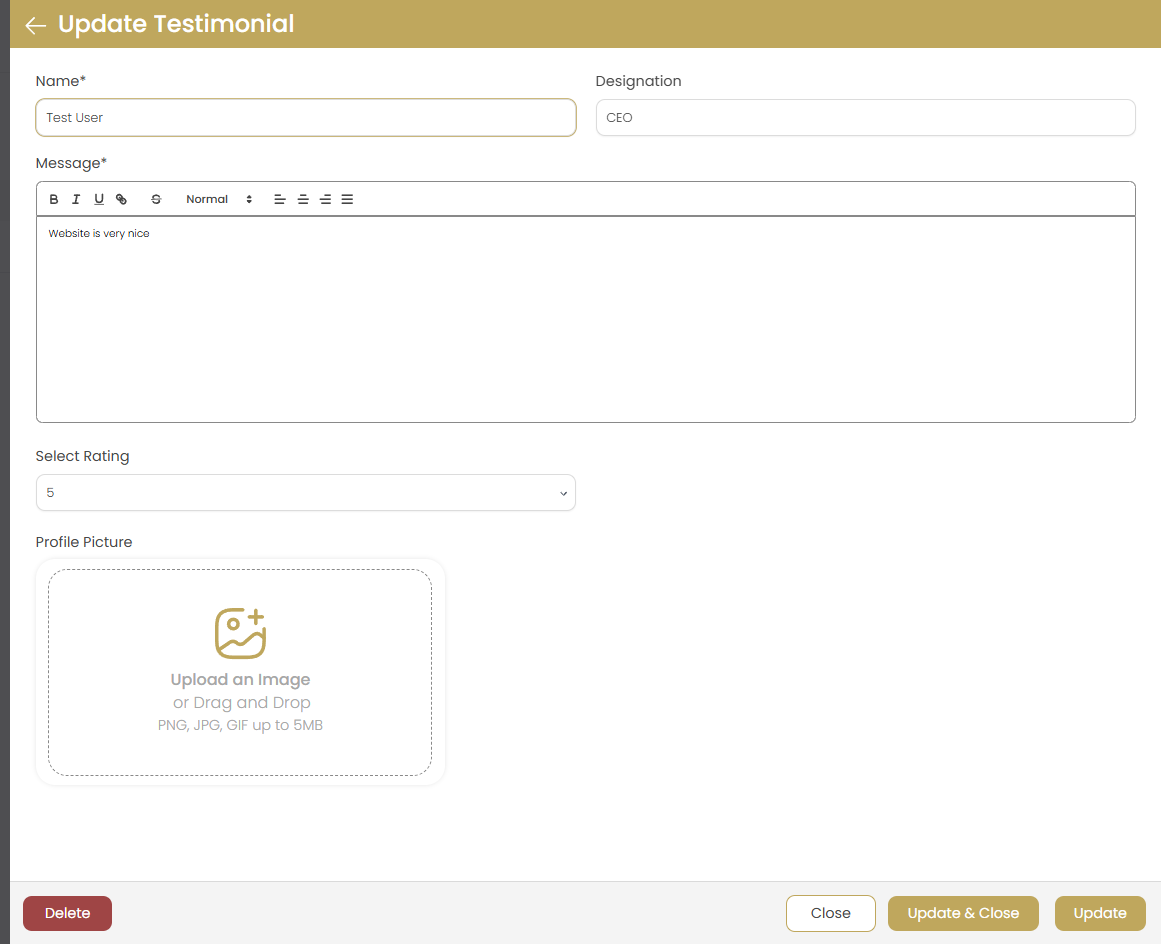
In the Update Testimonial form, you can change any of the following:
- Client Name: Update spelling or preferred name format
- Designation: Add or modify job title or description
- Message: Edit the testimonial content using the rich text editor
- Rating: Adjust the star rating if needed
- Profile Picture: Upload a new photo or remove the existing one
Save Options
The update form provides multiple save options:
- Update: Save changes and continue editing
- Update & Close: Save changes and return to the testimonials list
- Close: Exit without saving changes
Delete Testimonial
Click the Delete button to remove the testimonial permanently:
- This action cannot be undone
- Consider archiving rather than deleting valuable testimonials
- Always verify before deletion to avoid losing important client feedback
Testimonial Best Practices
Collecting Testimonials
Effective strategies for gathering client feedback:
- Timing: Ask for testimonials shortly after successful transactions
- Make it Easy: Provide a simple form or template for clients to complete
- Be Specific: Ask clients to mention specific benefits they experienced
- Follow Up: Send gentle reminders to clients who haven't responded
- Incentivize: Consider small thank-you gifts for completed testimonials
Writing Effective Testimonials
Guidelines for compelling testimonial content:
- Authenticity: Use the client's actual words and voice
- Specific Results: Include concrete outcomes (price achieved, time saved, etc.)
- Emotional Connection: Capture feelings and personal experiences
- Problem-Solution: Mention the challenge you helped solve
- Professional Editing: Fix grammar while maintaining the client's voice
Real Estate Testimonial Examples
Types of testimonials that work well for real estate:
- First-Time Buyers: "Made the home buying process stress-free and educational"
- Sellers: "Sold our home for above asking price in just two weeks"
- Investors: "Found us the perfect investment property with great ROI potential"
- Relocators: "Helped us navigate buying a home from across the country"
- Luxury Market: "Provided white-glove service throughout the entire process"
Legal and Ethical Considerations
Important guidelines to follow:
- Permission: Always get written consent before using testimonials
- Accuracy: Never fabricate or significantly alter testimonials
- Privacy: Respect client confidentiality and privacy preferences
- Compliance: Follow local real estate advertising regulations
- Disclosure: Be transparent about any incentives given for testimonials
Display Strategy
Maximize the impact of your testimonials:
- Strategic Placement: Feature testimonials on key pages (homepage, about, services)
- Variety: Show testimonials from different client types and situations
- Regular Updates: Refresh testimonials periodically with recent feedback
- Quality over Quantity: Display your best testimonials prominently
- Visual Appeal: Use professional photos and clean formatting
Troubleshooting
Profile Picture Not Uploading
Solution: Ensure the image file is under 5MB and in PNG, JPG, or GIF format. Check your internet connection and try refreshing the page if the upload fails.
Rich Text Editor Not Working
Solution: Clear your browser cache and ensure JavaScript is enabled. Try using a different browser if the issue persists.
Testimonials Not Appearing on Website
Solution: Check that testimonials are properly saved and that the testimonial display section is enabled on your website pages.
Star Ratings Not Displaying
Solution: Ensure you've selected a rating for each testimonial. Verify that your website theme supports star rating display.
Formatting Issues in Testimonial Text
Solution: Use the rich text editor's formatting options. Avoid copying text from external sources that might include hidden formatting.
Cannot Delete Testimonial
Solution: Ensure you have the necessary permissions. If the delete button is not working, try refreshing the page and attempting again.