Blog Management
Comprehensive guide to creating, managing, and publishing blog content for your real estate website
Overview
The Blog Management module allows you to create and publish engaging blog content to attract visitors, establish expertise, and improve your website's SEO. The system includes both manual blog creation and AI-powered content generation to help you maintain a consistent publishing schedule with high-quality content.
Key Benefits
- AI Content Generation: Create blog posts with AI assistance
- SEO Optimization: Improve search engine visibility
- Professional Publishing: Rich text editor with media support
- Content Organization: Tags and related posts for better navigation
Creating Blog Posts with AI
Access Blog Management
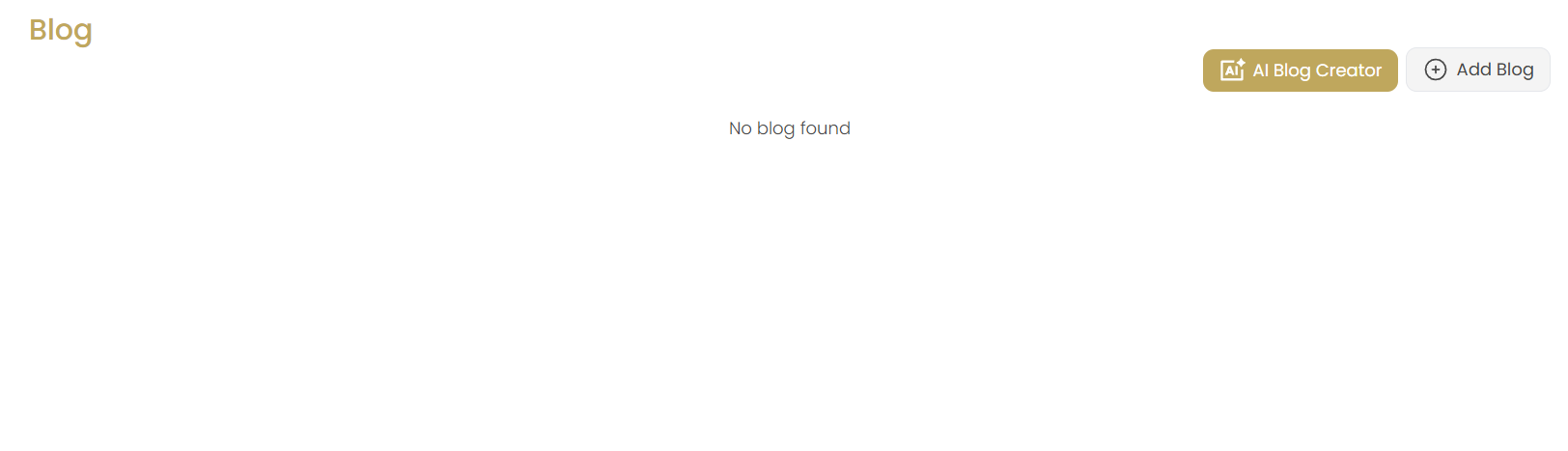
Navigate to the Blogs section in the Website menu. If no blogs exist, you'll see "No blog found" with options to create content using either the AI Blog Creator or manual Add Blog options.
Click AI Blog Creator
Click the AI Blog Creator button to start the AI-powered content generation process. This will open the AI Blog Writer interface.
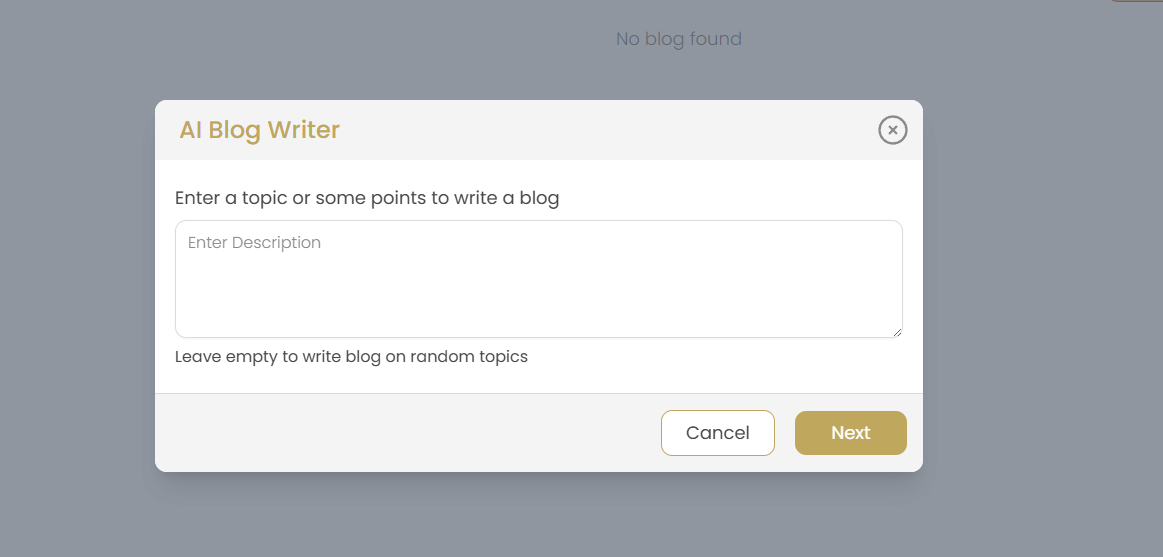
Enter Topic or Description
In the AI Blog Writer dialog:
- Enter a specific topic or description for your blog post in the text area
- Provide key points you want to cover or specific themes
- Leave empty to let AI generate blog topics randomly
- Click "Next" to proceed to topic selection or "Cancel" to exit
Select AI-Generated Topic
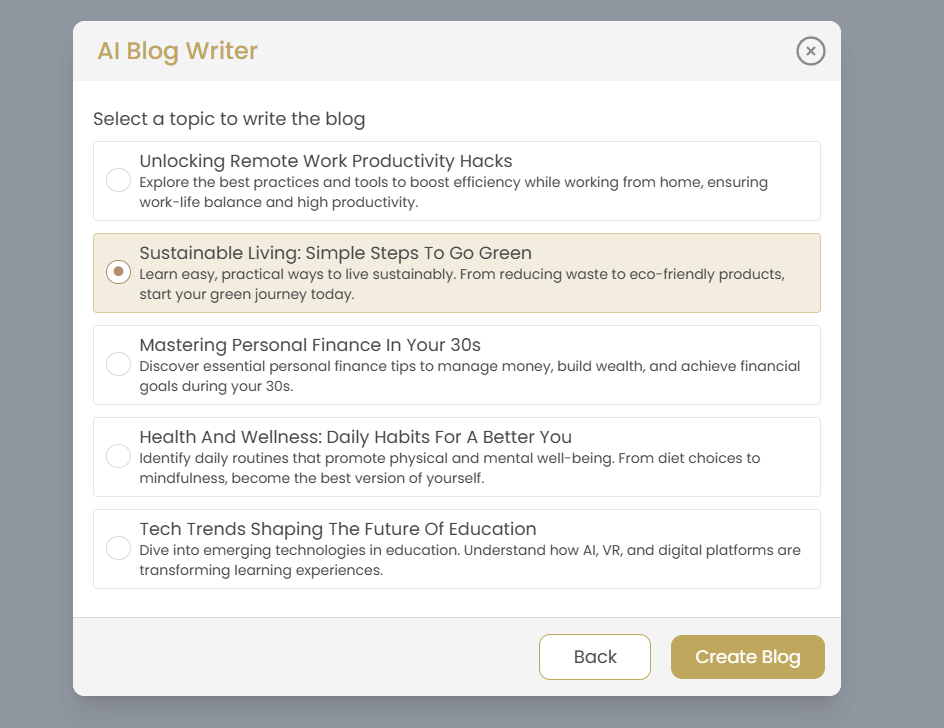
Choose from AI-suggested blog topics:
- Review multiple topic suggestions with detailed descriptions
- Each topic shows a brief overview of the content to be generated
- Select the topic that best fits your content strategy and target audience
- Click "Create Blog" to generate full content for the selected topic
- Use "Back" to return to topic input if you want to modify your description
Sample Topics: The AI generates diverse topics like travel destinations, lifestyle guides, business tips, and industry-specific content based on your input or randomly if no specific topic is provided.
AI Content Generation
Once you select "Create Blog," the AI will:
- Generate a complete blog post with title, content, and structure
- Create SEO-friendly content with proper headings and formatting
- Provide engaging introduction and conclusion sections
- Include relevant keywords and topics within the content
- Structure the content for optimal readability and engagement
Manual Blog Creation
Click Add Blog
Click the Add Blog button to start creating a blog post manually. This gives you complete control over all aspects of your blog content.
Blog Creation Interface
You'll be taken to the comprehensive blog creation interface with multiple tabs:
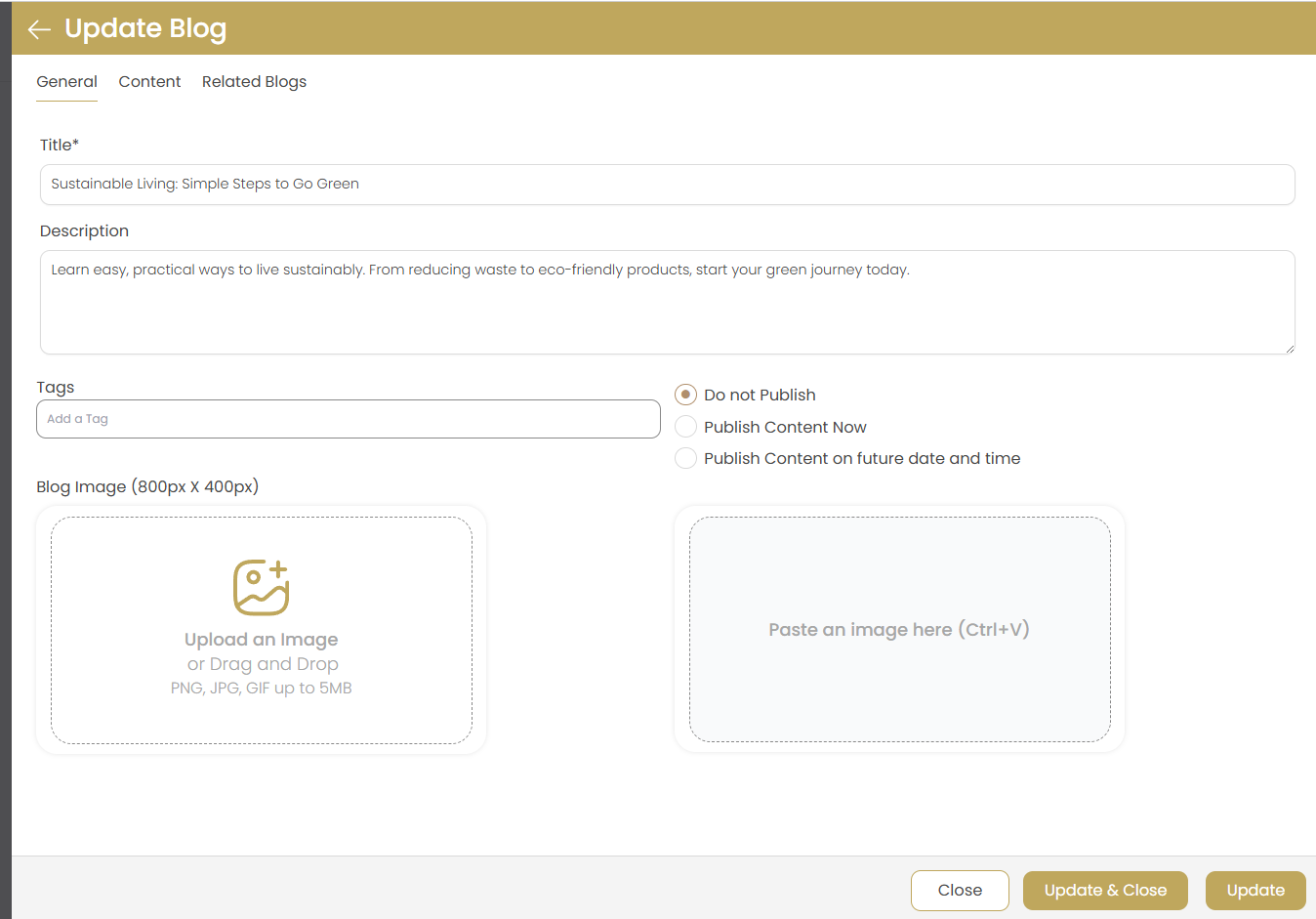
- General Tab: Basic blog information, publishing settings, and images
- Content Tab: Rich text editor for writing your blog post
- Related Blogs Tab: Link to other relevant blog posts
General Tab Configuration
Blog Title
Enter a compelling, SEO-friendly title for your blog post (required field).
Best Practice: Keep titles under 60 characters for optimal search engine display.
Description
Write a brief description or excerpt that summarizes your blog post content. This appears in search results and post previews.
Tags
Add relevant tags to categorize your content:
- Enter tags separated by commas or press Enter after each tag
- Use relevant keywords for SEO benefits
- Include topics like "real estate," "home buying," "market trends"
Publishing Options
Choose when to publish your blog post:
- Do not Publish: Save as draft only
- Publish Content Now: Make live immediately
- Publish Content on future date and time: Schedule for later publication
Blog Images
Add visual content to enhance your blog post:
- Featured Image (800px x 400px): Main blog image for listings and social sharing
- Content Images: Additional images to paste within blog content (Ctrl+V)
- Supported formats: PNG, JPG, GIF up to 5MB
- Use high-quality, relevant images for better engagement
Content Tab
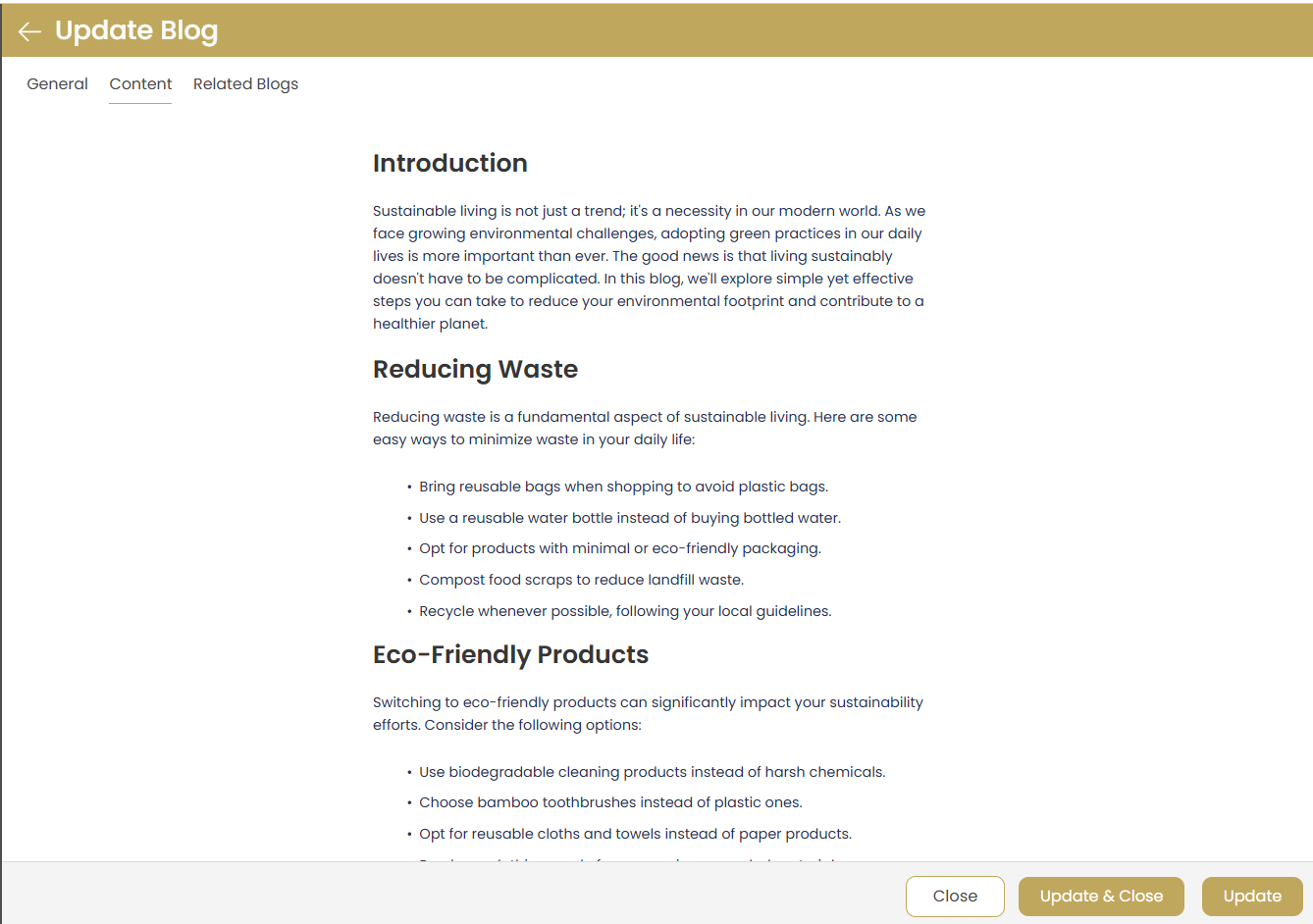
Rich Text Editor
Create your blog content using the powerful rich text editor:
- Formatting Options: Bold, italic, underline, headings
- Lists: Bulleted and numbered lists
- Links: Add hyperlinks to external resources
- Images: Insert images directly into content
- Structure: Use headings to organize content sections
Content Organization
Structure your blog post for maximum readability:
- Use clear section headings (H2, H3)
- Include an engaging introduction
- Break content into digestible paragraphs
- Add bullet points for easy scanning
- Include a strong conclusion with call-to-action
SEO Best Practices
Optimize your content for search engines:
- Include relevant keywords naturally throughout
- Use descriptive headings and subheadings
- Add alt text to all images
- Include internal and external links
- Aim for 800+ words for better SEO performance
Related Blogs Tab
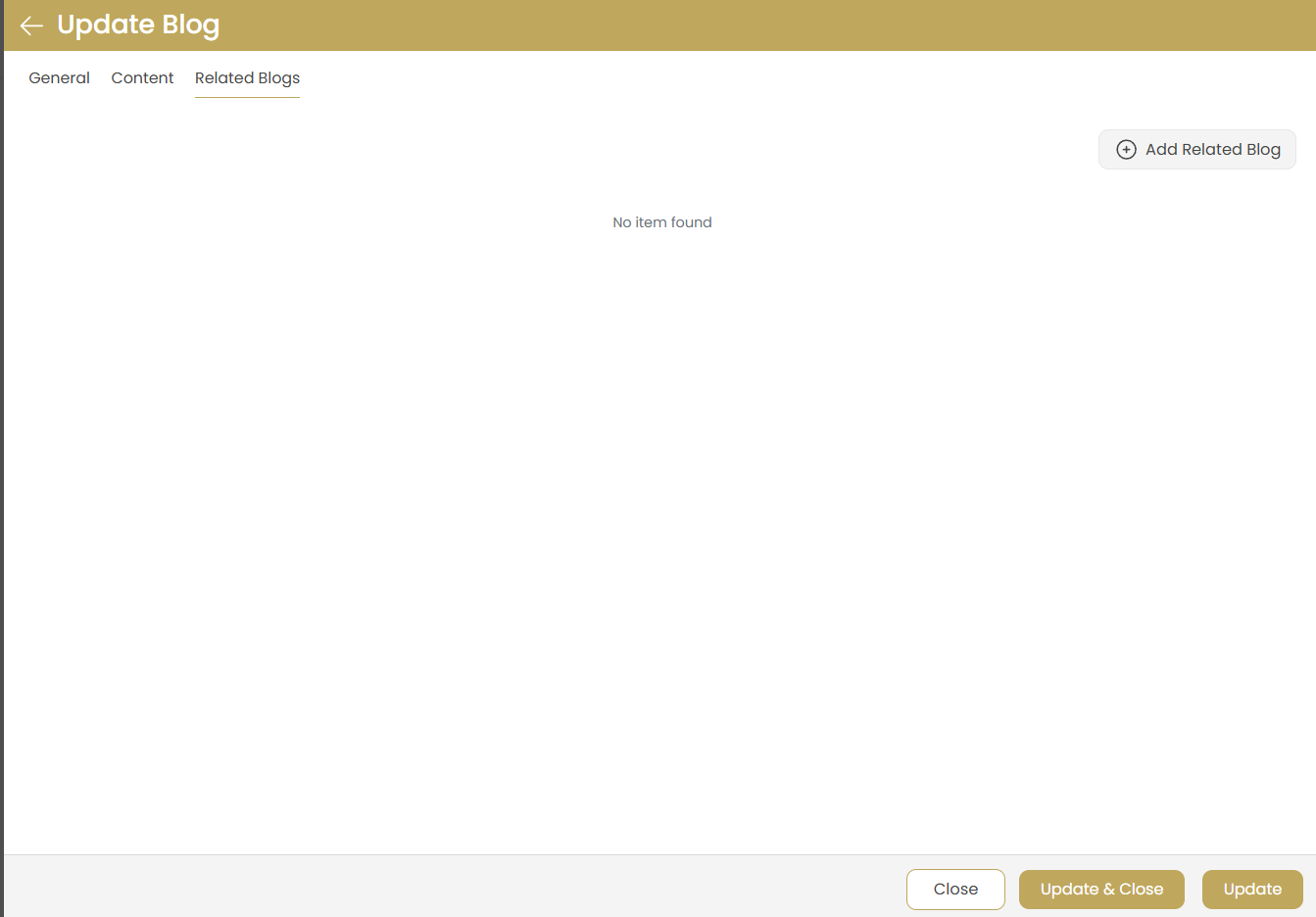
Add Related Blog
Connect your blog post with related content:
- Click "Add Related Blog" to link existing blog posts
- Choose posts with similar topics or themes
- Related posts appear at the end of your blog article
- Helps improve user engagement and site navigation
No Related Posts
If no related posts are available, focus on creating more content to build connections between articles.
Publishing Your Blog
Review Content
Before publishing, review all tabs to ensure:
- Title and description are compelling and error-free
- Content is well-formatted and engaging
- Images are properly sized and relevant
- Tags are relevant and useful
- Publishing settings are correct
Save Blog
Use the appropriate save option:
- Add: Create the blog post with current settings
- Close: Exit without saving changes
Post-Publication
After publishing, your blog post will:
- Appear on your website's blog section
- Be indexed by search engines (if published)
- Be available for social media sharing
- Contribute to your website's SEO rankings
Managing Existing Blogs
Once blog posts are created, you can easily update their content, modify publishing settings, or manage their visibility.
Updating Blog Posts
Click on any existing blog to open the Update Blog interface. All the same tabs are available for editing:
- Update title, description, and tags
- Modify content and add new information
- Change publishing status and schedule
- Update or replace images
- Add or remove related blog connections
Blog Updates
Use the update buttons to save changes:
- Update: Save current changes
- Update & Close: Save and return to blog list
- Close: Exit without saving changes
Draft Management
Manage unpublished content:
- Continue editing draft posts before publication
- Schedule drafts for future publication dates
- Convert drafts to published status when ready
Content Strategy Tips
Real Estate Blog Topics
Effective blog topics for real estate professionals:
- Market Updates: Local market trends, statistics, and forecasts
- Home Buying Guides: First-time buyer tips, financing options, and processes
- Neighborhood Spotlights: Community features, schools, and amenities
- Home Improvement: Renovation tips, staging advice, and ROI insights
- Investment Properties: Real estate investment strategies and market analysis
- Seasonal Content: Spring selling season, winter maintenance, holiday market trends
- Legal & Financial: Understanding contracts, closing processes, and tax implications
Publishing Frequency
Maintain a consistent publishing schedule:
- Aim for 2-3 blog posts per week for optimal SEO impact
- Use AI Blog Creator for quick content generation on busy days
- Schedule posts in advance using the future publishing option
- Mix AI-generated and manually crafted content for variety
- Create a content calendar to plan topics in advance
Engagement Optimization
Increase reader engagement and lead generation:
- Start with compelling headlines that address reader pain points
- Include high-quality, professional images and infographics
- End posts with clear calls-to-action (contact forms, property searches)
- Link to related content and valuable external resources
- Encourage comments and social sharing
- Include local keywords and location-specific information
AI vs Manual Content Strategy
Optimize your content creation approach:
- Use AI for: Market trend articles, general advice, and quick content needs
- Use Manual for: Personal stories, local expertise, and property spotlights
- Edit AI Content: Always review and customize AI-generated content with local insights
- Combine Both: Use AI for structure and manual editing for personalization
Troubleshooting
AI Blog Creator Not Responding
Solution: Check your internet connection and try again. If the AI service is temporarily unavailable, use the manual Add Blog option to create content. Clear your browser cache if the issue persists.
Image Upload Issues
Solution: Ensure image files are under 5MB and in PNG, JPG, or GIF format. Optimize large images before uploading for better performance. Check that your internet connection is stable during upload.
Content Not Saving
Solution: Ensure all required fields (title) are completed. Check your internet connection and avoid navigating away while saving. Try refreshing the page and re-entering content if needed.
Rich Text Editor Issues
Solution: If the editor is not loading properly, try refreshing the page or switching browsers. Ensure JavaScript is enabled in your browser settings.
Scheduled Posts Not Publishing
Solution: Verify the scheduled date and time are set correctly in your local timezone. Check that the post status is set to "Publish Content on future date and time" rather than "Do not Publish."
Related Blogs Not Appearing
Solution: Ensure related blog posts are published and properly linked. Check that the related posts have content and are not set to draft status.
Blog Not Appearing on Website
Solution: Verify the blog is set to "Publish Content Now" and not saved as draft. Check that your website's blog section is properly configured and enabled.