Phone Number Management
Complete guide to purchasing, managing, and configuring phone numbers for SMS messaging and voice communications
Overview
The Phone Number Management system allows you to purchase, configure, and manage phone numbers for your business communication needs. Whether you need local numbers for specific markets or toll-free numbers for broader reach, the system provides comprehensive tools for effective phone number management.
Phone Number Benefits
Professional phone numbers enhance your business credibility and enable sophisticated communication workflows with SMS messaging and voice capabilities.
- Instant activation upon purchase
- Local and toll-free number options
- SMS and voice messaging capabilities
- AI-powered voice assistance integration
- Geographic flexibility for market targeting
Getting Started with Phone Numbers
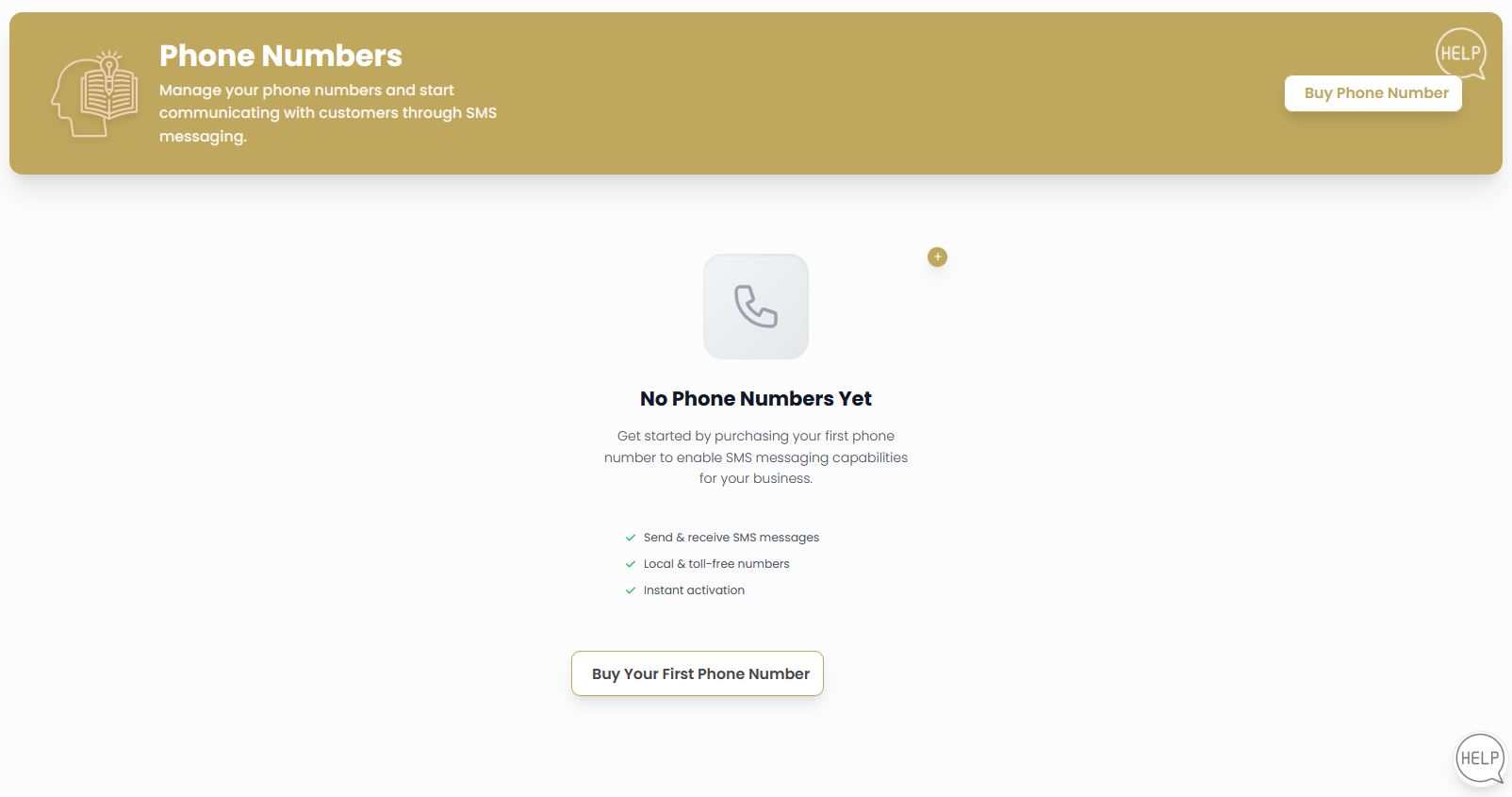
When you first access the Phone Numbers dashboard, you'll see an empty state prompting you to purchase your first phone number to enable SMS messaging capabilities.
Initial Phone Number Purchase
Access Phone Numbers Dashboard
Navigate to the Phone section in the main menu and select "Phones" to access the Phone Numbers dashboard.
Start Purchase Process
From the empty dashboard, you'll see the message "No Phone Numbers Yet" with these key features highlighted:
- Send & receive SMS messages: Full bidirectional messaging capabilities
- Local & toll-free numbers: Choose from various number types
- Instant activation: Numbers are ready for immediate use
Click to begin the purchase process.
First Purchase Tips
- Choose Local Numbers: Select numbers from areas where you do business
- Consider Multiple Markets: Purchase numbers for different geographic markets
- Plan for Growth: Consider your future communication needs
- Test Immediately: Send a test SMS to verify functionality
Searching and Purchasing Phone Numbers
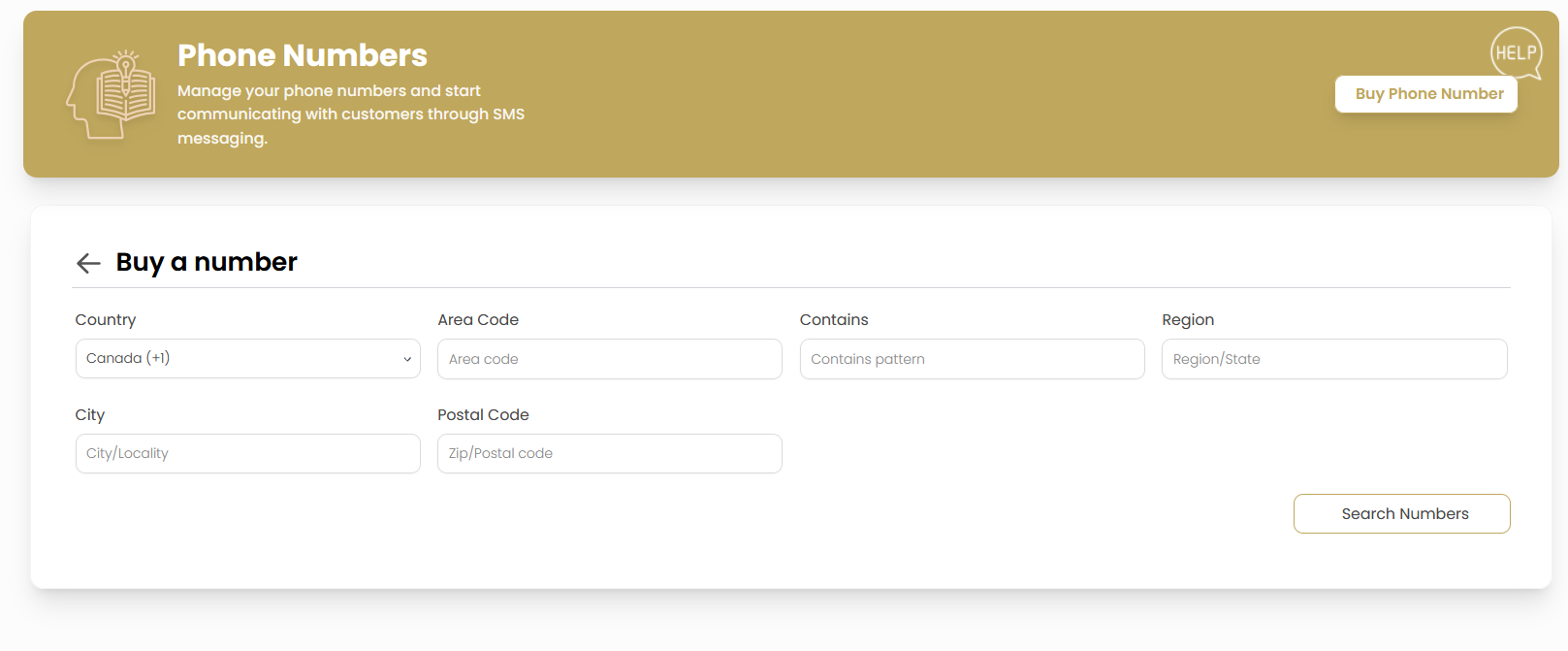
The phone number search interface provides powerful filtering options to find the perfect numbers for your business needs.
Search Criteria and Filters
Country Selection
Choose your country from the dropdown menu. The system supports multiple countries with specific formatting:
- Canada (+1): Canadian phone numbers with proper formatting
- Additional Countries: Other supported regions as available
Geographic Filtering
Narrow down your search using multiple geographic criteria:
- Area Code: Specify desired area code for local presence
- Region/State: Choose specific regions or states
- City: Target specific cities or localities
- Postal Code: Use postal codes for precise geographic targeting
Number Pattern Matching
Use the "Contains" field to search for numbers with specific digit patterns:
- Memorable Patterns: Search for repeating digits or sequences
- Business Relevance: Find numbers that match your business theme
- Easy to Remember: Choose patterns that customers can easily recall
Execute Search
Click to display available phone numbers matching your criteria.
Available Numbers and Selection
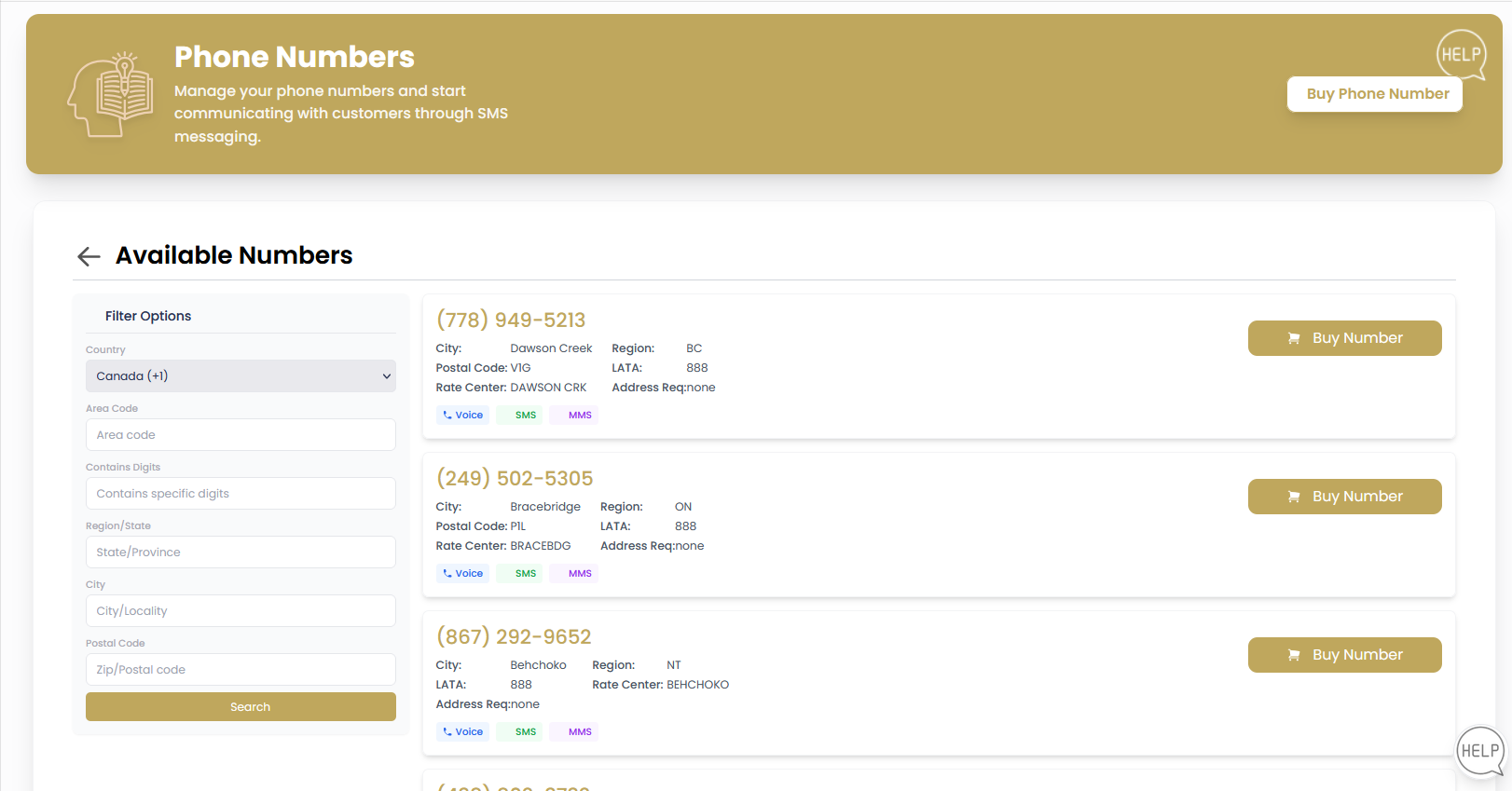
Once you perform a search, the system displays available phone numbers with detailed information to help you make informed decisions.
Number Information Display
Number Details
Each available number shows comprehensive information:
- Phone Number: The complete number in formatted display
- City: The city associated with the number
- Region: State or province information
- Postal Code: Specific postal code area
- LATA: Local Access and Transport Area code
- Rate Center: Telecommunications rate center designation
- Address Required: Whether an address is needed for purchase
Capability Indicators
Each number displays capability badges showing supported features:
- - Voice calling capabilities
- - SMS messaging support
- - Multimedia messaging capabilities
Purchase Decision
Review all number options and click for your preferred selection.
Number Selection Best Practices
| Consideration | Recommendation | Business Benefit |
|---|---|---|
| Local Presence | Choose numbers from your service areas | Builds trust with local customers |
| Memorable Patterns | Select numbers with easy-to-remember sequences | Increases customer recall and callback rates |
| Capability Requirements | Ensure SMS/MMS support for messaging needs | Enables full communication feature set |
| Rate Centers | Understand local calling implications | Optimizes call routing and costs |
Managing Active Phone Numbers
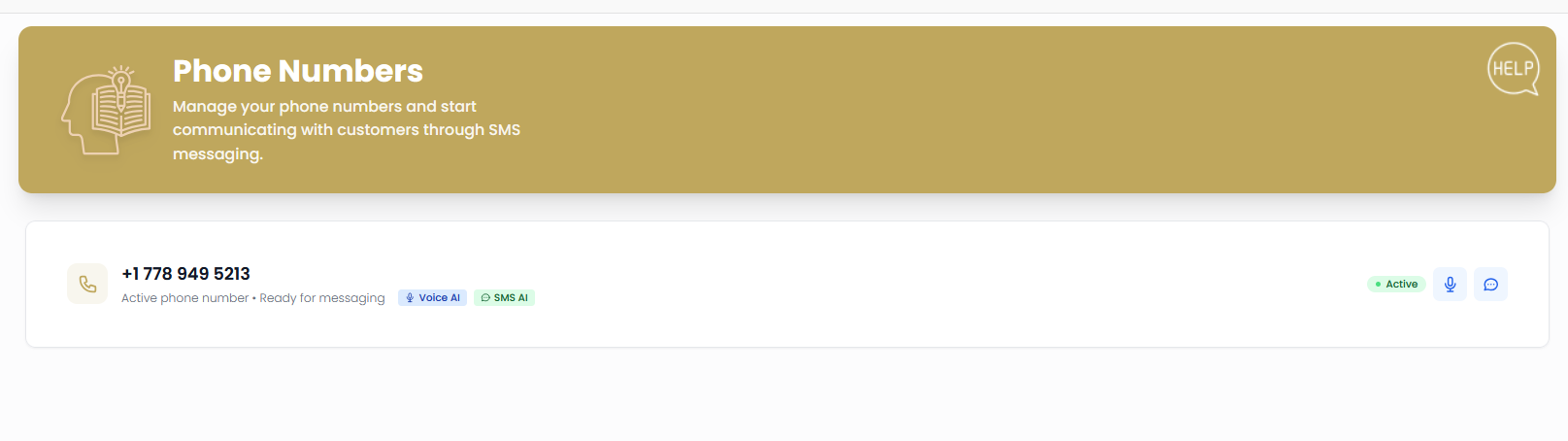
Once purchased, phone numbers appear in your active dashboard with full management capabilities and AI-powered features.
Active Number Interface
Number Status Display
Active phone numbers show comprehensive status information:
- Number Display: Full phone number in formatted view
- Status Indicator: "Active phone number • Ready for messaging"
- Service Badges: Available features like Voice AI and SMS AI
- Activity Status: Current operational state
AI Integration Features
Active numbers include powerful AI capabilities:
- - AI-powered voice assistance and call handling
- - Intelligent SMS response and management
- Activity Monitoring: Real-time status tracking
- Integration Ready: Connected to your communication workflow
Number Management Actions
Use the management controls to configure number settings:
- Voice Settings: Configure calling preferences and AI behavior
- SMS Configuration: Set up messaging workflows and automation
- Integration Setup: Connect with CRM and other systems
- Usage Monitoring: Track communication volume and patterns
AI-Powered Communication
Your active phone numbers come equipped with advanced AI capabilities to enhance customer interactions and streamline communication workflows.
- Voice AI: Automated call handling, routing, and response
- SMS AI: Intelligent message processing and automated responses
- Learning Capability: AI improves over time based on your communication patterns
- Integration: Seamlessly works with your CRM and customer data
Billing and Cost Management
Understanding the costs associated with phone numbers helps you manage your communication budget effectively.
Cost Structure
| Service | Billing Model | Considerations |
|---|---|---|
| Number Purchase | One-time setup fee | Varies by number type and location |
| Monthly Maintenance | Recurring monthly charge | Per number maintenance and features |
| SMS Messaging | Per message sent/received | Volume discounts may apply |
| Voice Calls | Per minute usage | Rates vary by destination |
| AI Features | Usage-based or included | Depends on plan and usage volume |
Cost Management Tips
- Monitor Usage: Regular review of messaging and call volumes
- Optimize Numbers: Release unused numbers to reduce monthly costs
- Plan Selection: Choose plans that match your communication patterns
- Budget Alerts: Set up notifications for usage thresholds
Security and Compliance
Phone number management includes important security and compliance considerations for business communications.
Security Features
Communication Security
- Encrypted Messaging: All SMS and voice communications are encrypted
- Access Controls: Manage who can use specific phone numbers
- Audit Logging: Complete record of all communication activities
- Fraud Protection: Monitoring for unusual usage patterns
- Compliance Support: Tools for regulatory compliance requirements
Compliance Considerations
| Requirement | Application | Best Practice |
|---|---|---|
| SMS Opt-in | Marketing messages | Maintain clear consent records |
| Call Recording | Voice communications | Follow local consent laws |
| Data Retention | Message and call logs | Comply with industry requirements |
AI Assistant Configuration
After purchasing a phone number, you can configure AI assistants to handle SMS and voice communications automatically. Agent Teammate provides separate AI assistants for SMS messaging and voice interactions, each with customizable settings.
SMS AI Assistant Setup
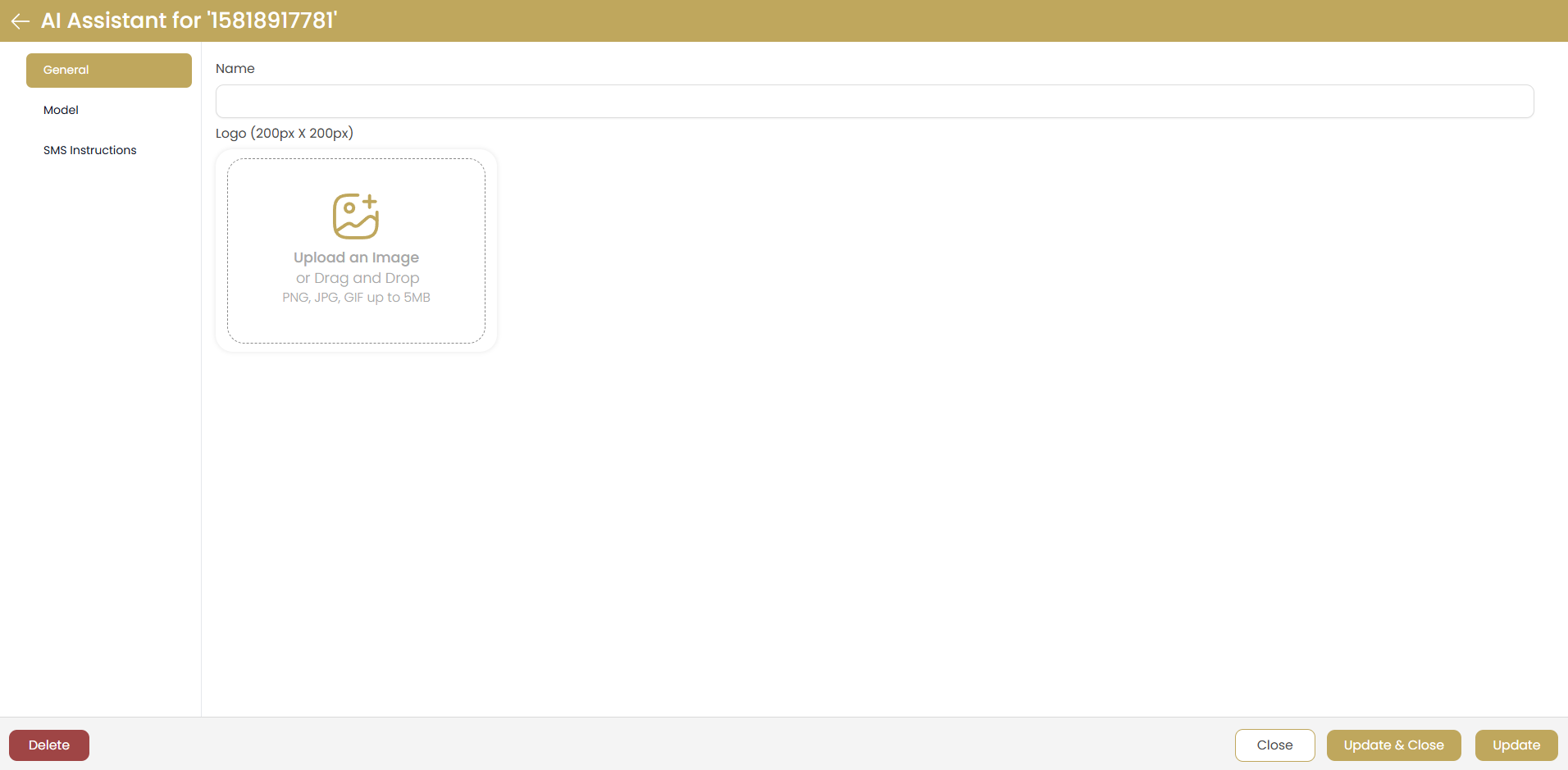
AI Assistant for SMS - General Settings
General Configuration Options
- Assistant Name: Set a custom name for your AI assistant
- Logo Upload: Add a custom logo (200px x 200px recommended) for branding
- Assistant ID: Unique identifier for the assistant configuration
- Navigation Tabs: Access General, Model, and SMS Instructions settings
- Action Buttons: Delete, Close, Update & Close, or Update settings
AI Model Configuration
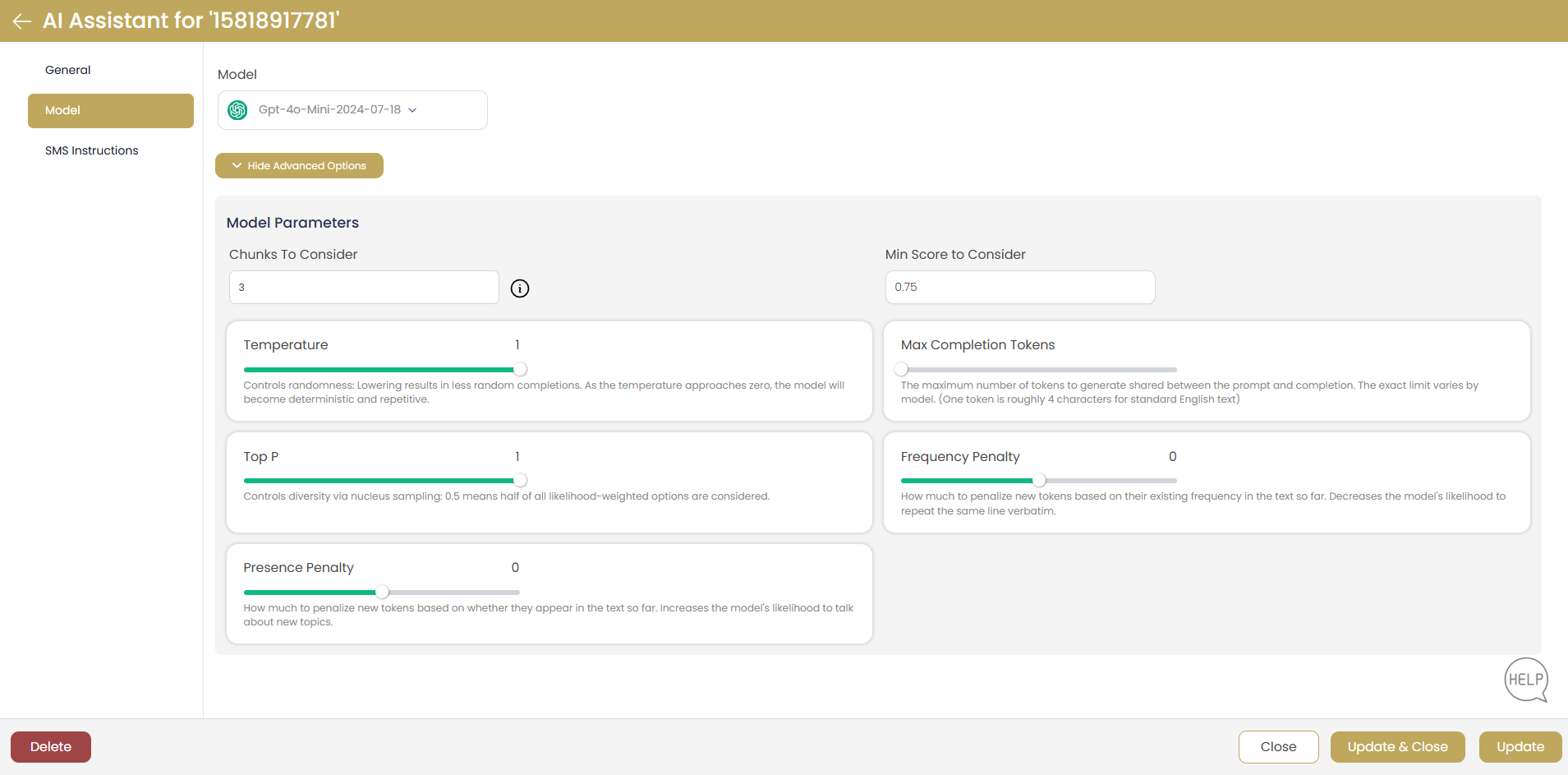
AI Model Parameters and Advanced Settings
Model Parameters
- Model Selection: Choose from available models (e.g., "Gpt-4o-Mini-2024-07-18")
- Advanced Options: Hide/show advanced configuration settings
- Chunks to Consider: Set context window size (default: 3)
- Min Score to Consider: Relevance threshold (default: 0.75)
- Temperature: Control response randomness (0-2, default: 1)
- Top P: Nucleus sampling parameter (default: 1)
- Max Completion Tokens: Maximum response length
- Frequency Penalty: Reduce repetition (default: 0)
- Presence Penalty: Encourage topic diversity (default: 0)
SMS Instructions Configuration
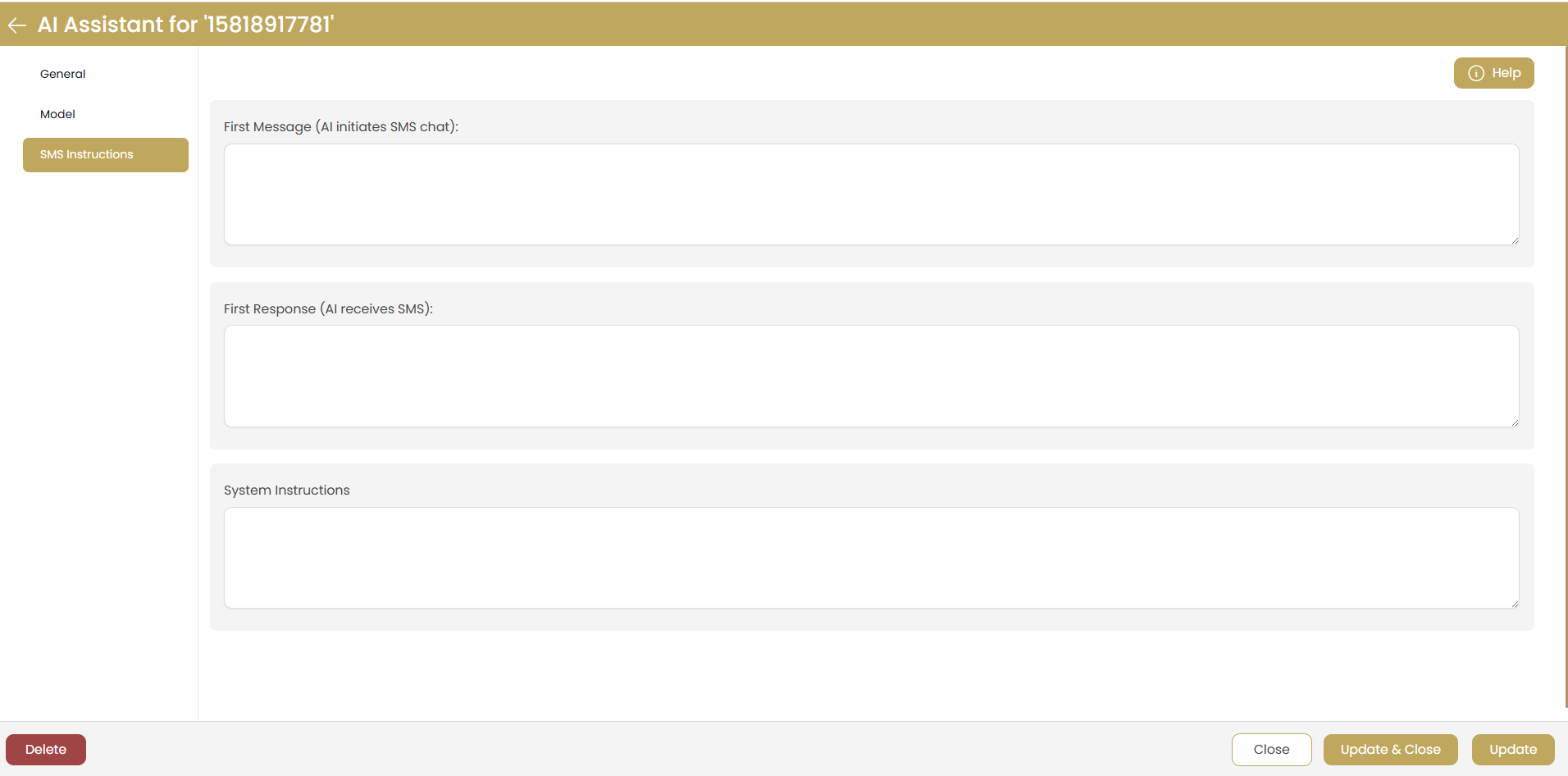
SMS Assistant Instructions and System Prompts
SMS-Specific Settings
- First Message: Set the initial message when AI starts an SMS conversation
- First Response: Configure how AI responds to incoming SMS messages
- System Instructions: Define AI behavior, personality, and response guidelines
- Help Button: Access contextual help for configuration options
Voice Assistant Configuration
Voice Assistant provides AI-powered phone call handling with advanced speech recognition, natural language processing, and customizable voice settings.
Voice Assistant Basic Information
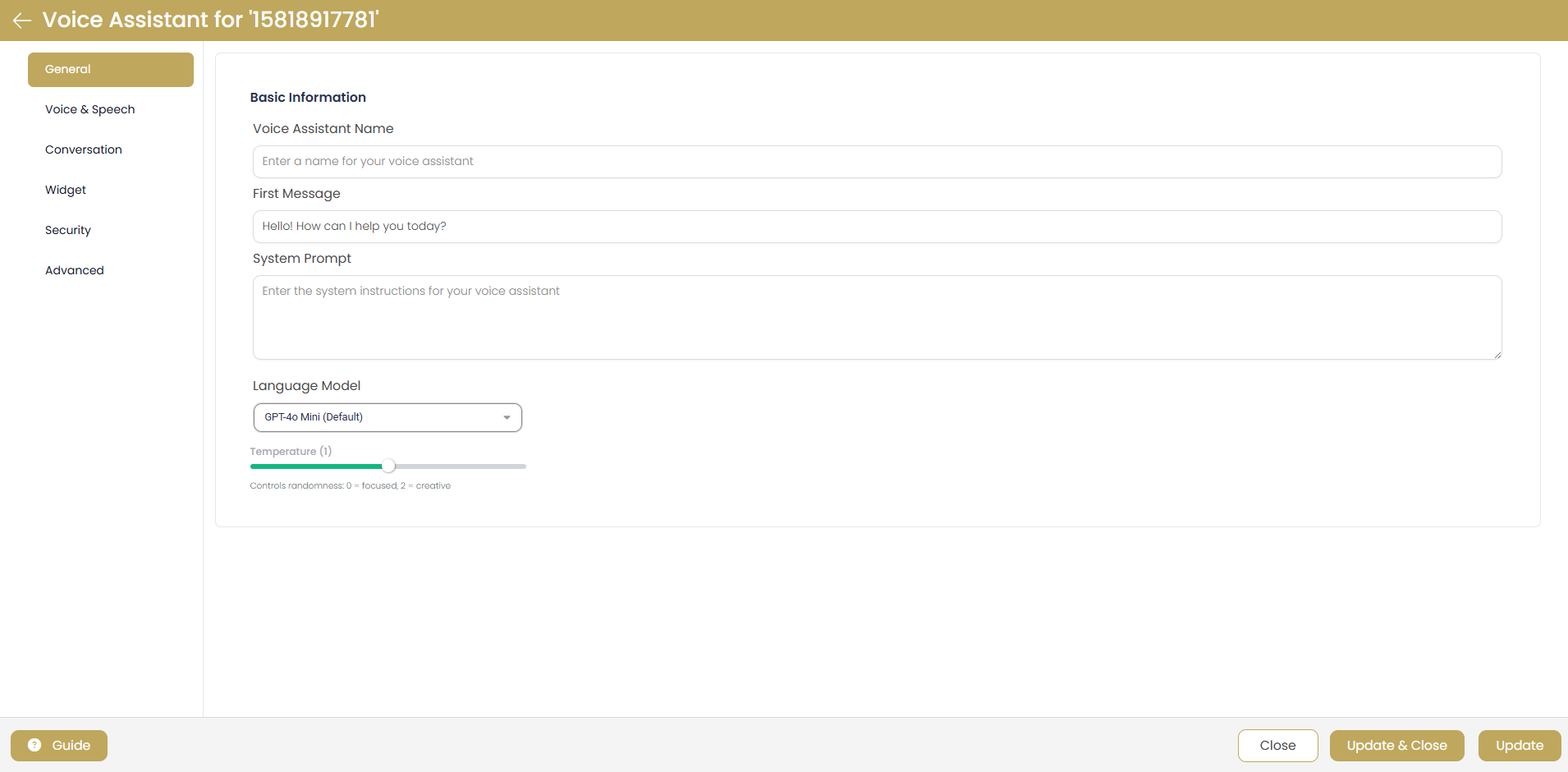
Voice Assistant - Basic Information Setup
Basic Voice Settings
- Voice Assistant Name: Custom name for your voice assistant
- First Message: Initial greeting (e.g., "Hello! How can I help you today?")
- System Prompt: Define AI behavior and instructions for voice interactions
- Language Model: Select AI model (e.g., "GPT-4o Mini (Default)")
- Temperature Control: Adjust response creativity (0 = focused, 2 = creative)
- Navigation Tabs: General, Voice & Speech, Conversation, Widget, Security, Advanced
Voice & Speech Configuration
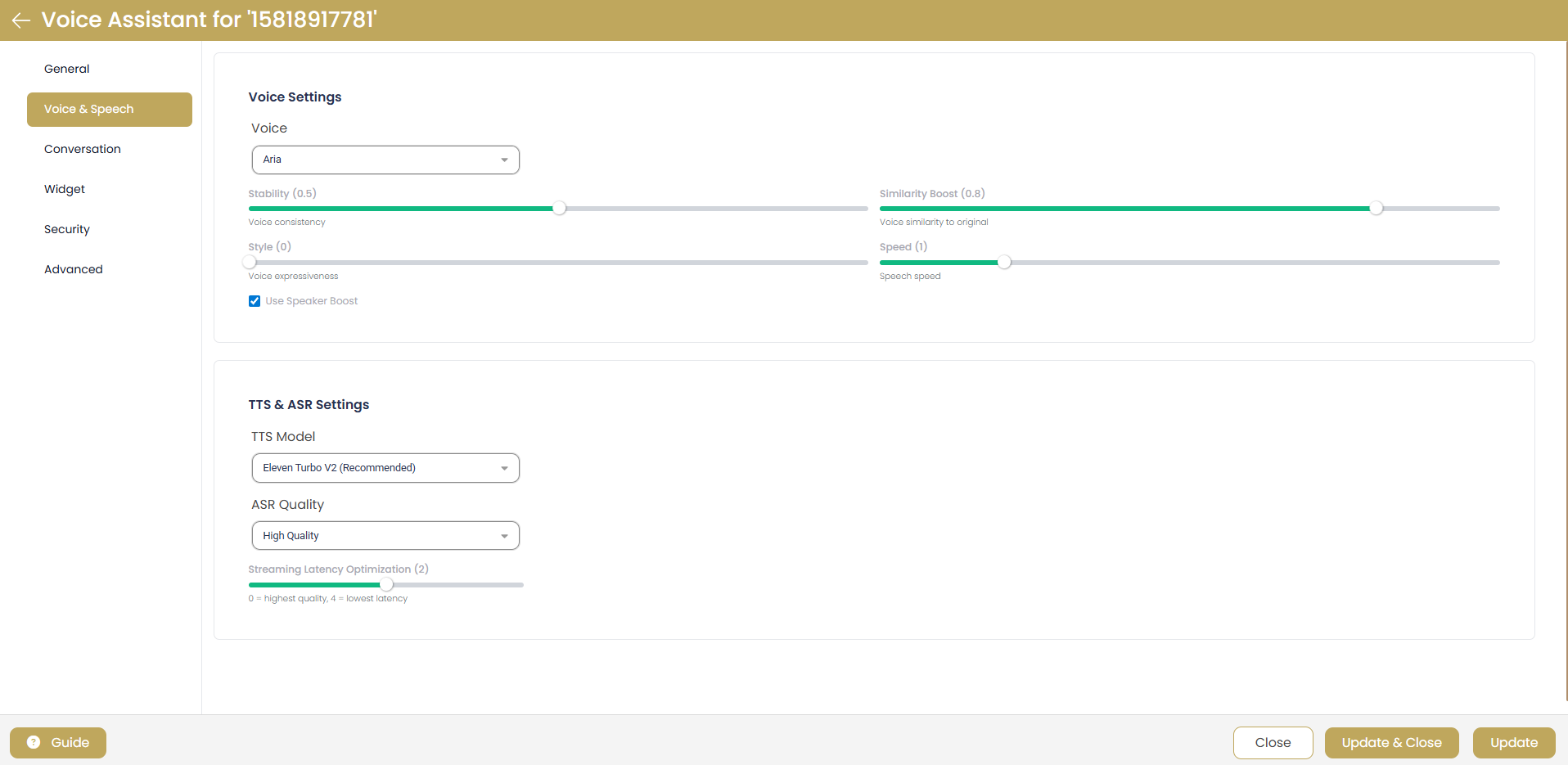
Voice & Speech Quality Settings
Voice Quality Settings
- Voice Selection: Choose voice type (e.g., "Aria")
- Stability: Voice consistency control (0-1 scale)
- Similarity Boost: Voice similarity to original (0-1 scale)
- Style: Voice expressiveness control (0-1 scale)
- Speed: Speech speed adjustment (0-2 scale)
- Use Speaker Boost: Enable enhanced voice clarity
- TTS Model: Text-to-speech engine (e.g., "Eleven Turbo V2 (Recommended)")
- ASR Quality: Automatic speech recognition quality (e.g., "High Quality")
- Streaming Latency Optimization: Balance quality vs. speed
Conversation Behavior
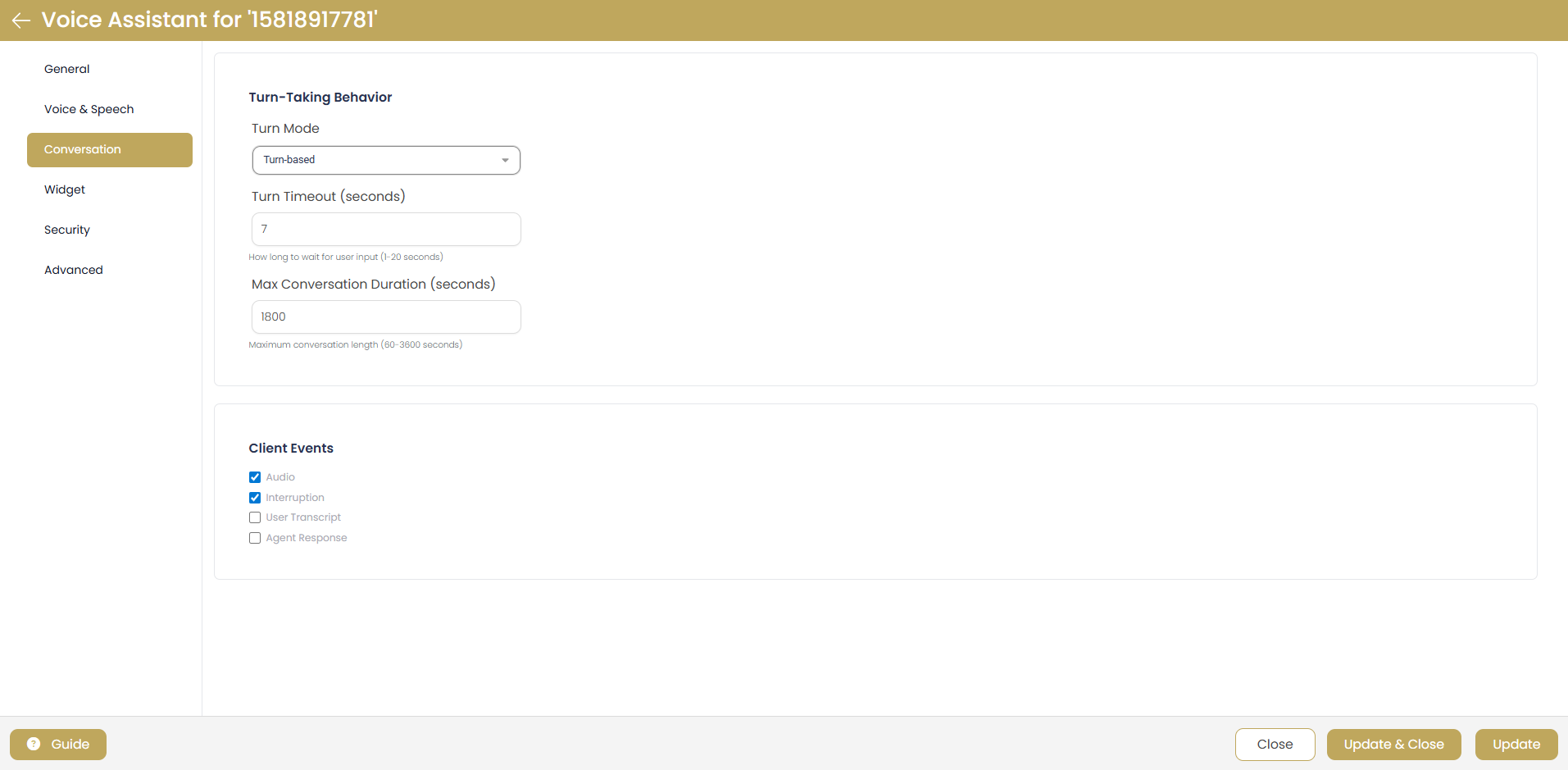
Turn-Taking and Conversation Management
Conversation Controls
- Turn Mode: Conversation flow control (e.g., "Turn-based")
- Turn Timeout: Wait time for user input (1-20 seconds, default: 7)
- Max Conversation Duration: Call length limit (60-3600 seconds, default: 1800)
- Client Events: Enable Audio, Interruption, User Transcript, Agent Response tracking
Widget Appearance & Integration
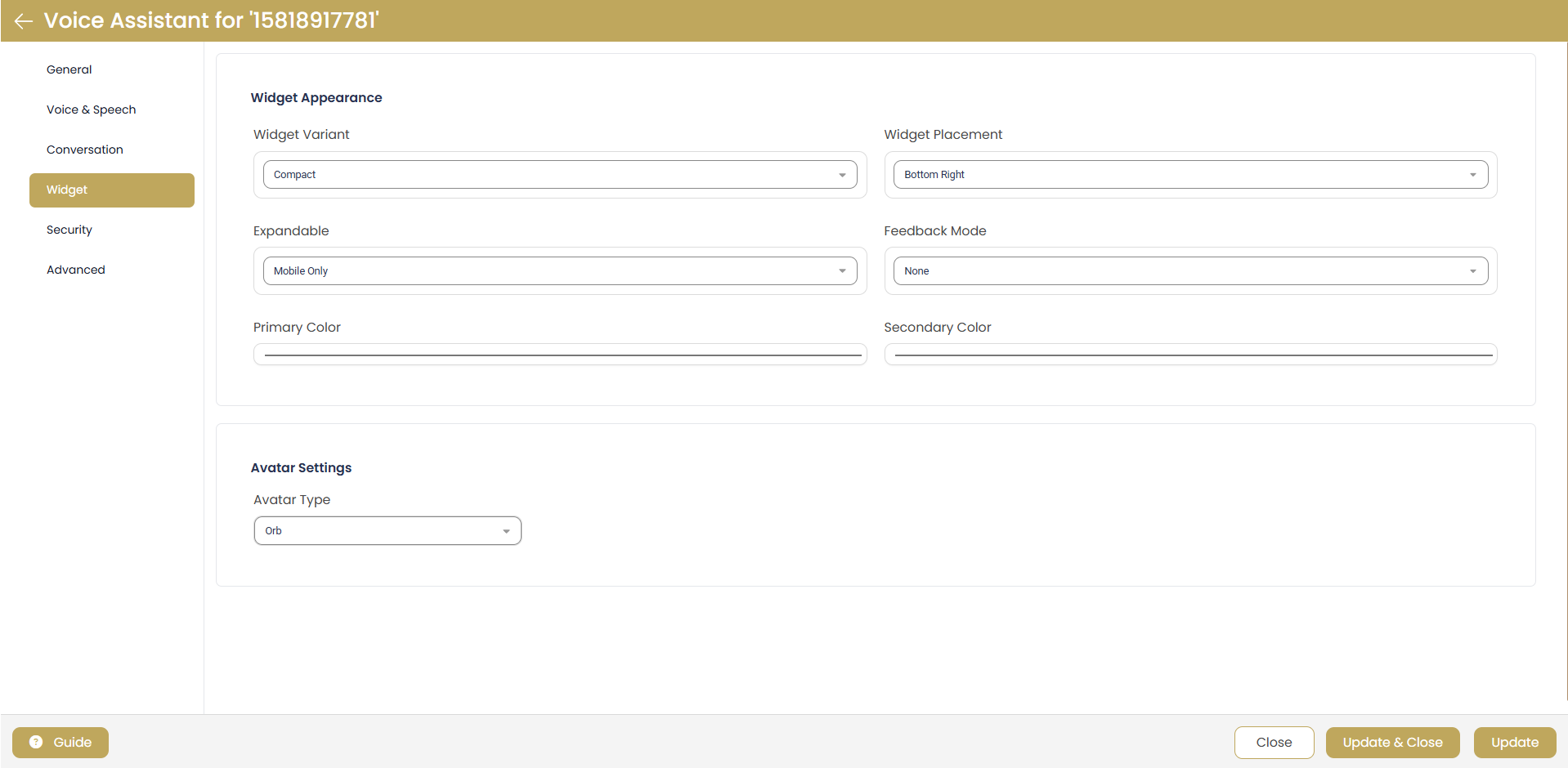
Voice Assistant Widget Customization
Widget Customization
- Widget Variant: Choose display style (e.g., "Compact")
- Widget Placement: Position on page (e.g., "Bottom Right")
- Expandable: Set responsive behavior (e.g., "Mobile Only")
- Feedback Mode: User feedback options (e.g., "None")
- Primary Color: Customize widget color scheme
- Secondary Color: Accent color customization
- Avatar Type: Choose avatar style (e.g., "Orb")
Security & Advanced Features
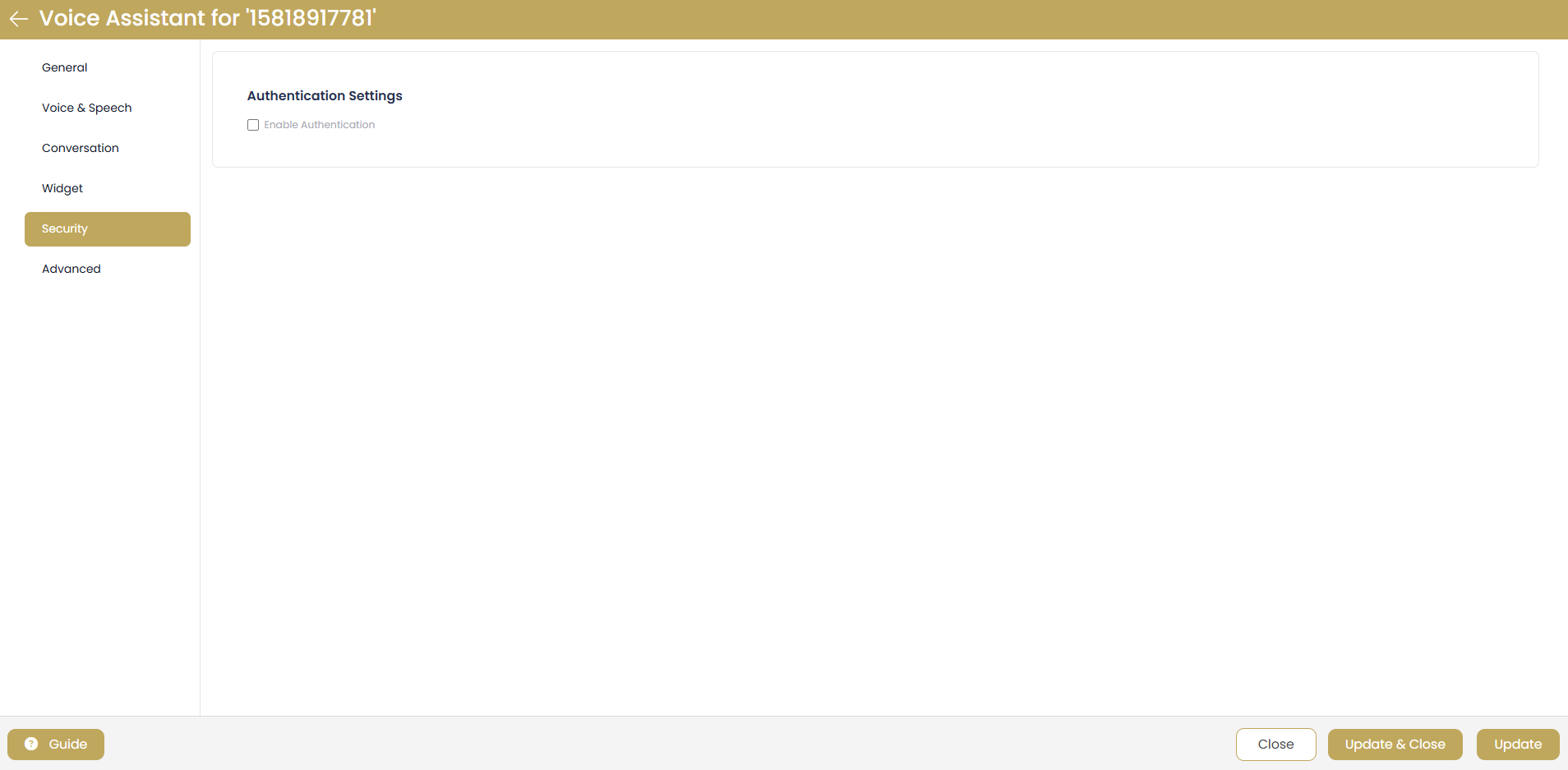
Authentication & Security Options
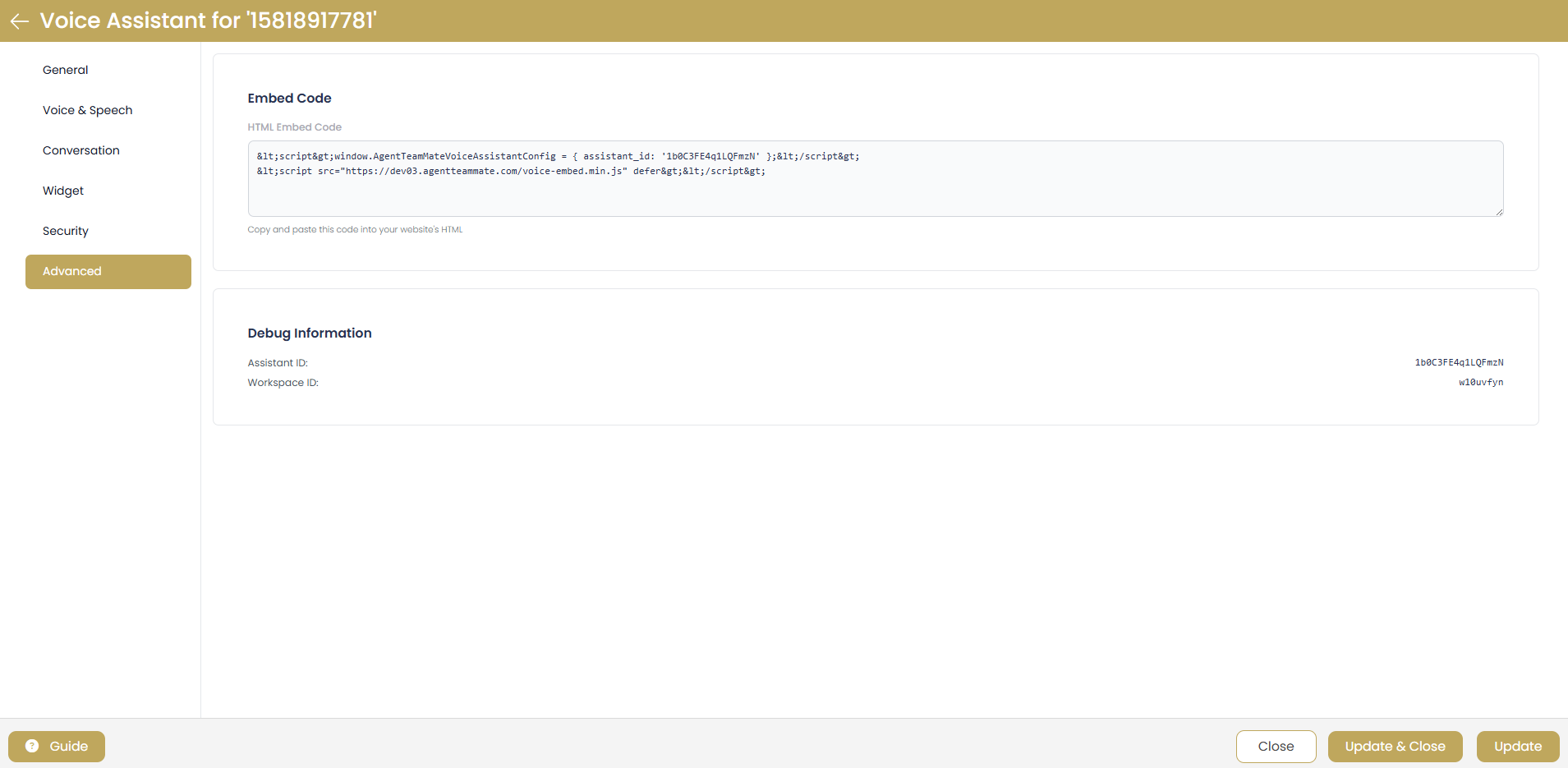
Embed Code & Advanced Integration
Security & Integration Notes
- Authentication: Enable authentication for secure access control
- Embed Code: HTML code for website integration
- Assistant ID: Unique identifier for API integration
- Workspace ID: Organization-level configuration identifier
- Debug Information: Technical details for troubleshooting
AI Assistant Best Practices
Configuration Guidelines
- Test Thoroughly: Test both SMS and voice assistants with different scenarios
- Monitor Performance: Regular review of AI response quality and accuracy
- Update Instructions: Refine system prompts based on user interactions
- Security First: Enable authentication for sensitive business applications
- Brand Consistency: Maintain consistent voice and messaging across all channels
- User Experience: Optimize conversation flow for natural interactions
Advanced Tips
- Temperature Settings: Lower values (0.3-0.7) for consistent responses, higher (1.0-1.5) for creative interactions
- Context Management: Adjust "Chunks to Consider" based on conversation complexity needs
- Voice Quality: Balance latency optimization with audio quality for your use case
- Widget Placement: Consider user behavior when choosing widget position and style
- Integration Planning: Use embed codes for seamless website integration