Authentication & Account Setup
Complete guide to getting started with Agent Teammate - from registration to first login
Getting Started
Welcome to Agent Teammate! This comprehensive guide will walk you through the complete authentication process, from creating your account to accessing your personalized dashboard. Agent Teammate is your ultimate AI content creation hub designed specifically for real estate professionals.
What You'll Learn
This guide covers:
- Creating a new Agent Teammate account
- Email verification process
- Signing in to your account
- Password recovery and reset
- Understanding the main dashboard
- Troubleshooting common login issues
Creating Your Account
Starting with Agent Teammate is simple and straightforward. Follow these steps to create your professional account and join thousands of real estate professionals who are already using AI to enhance their business.
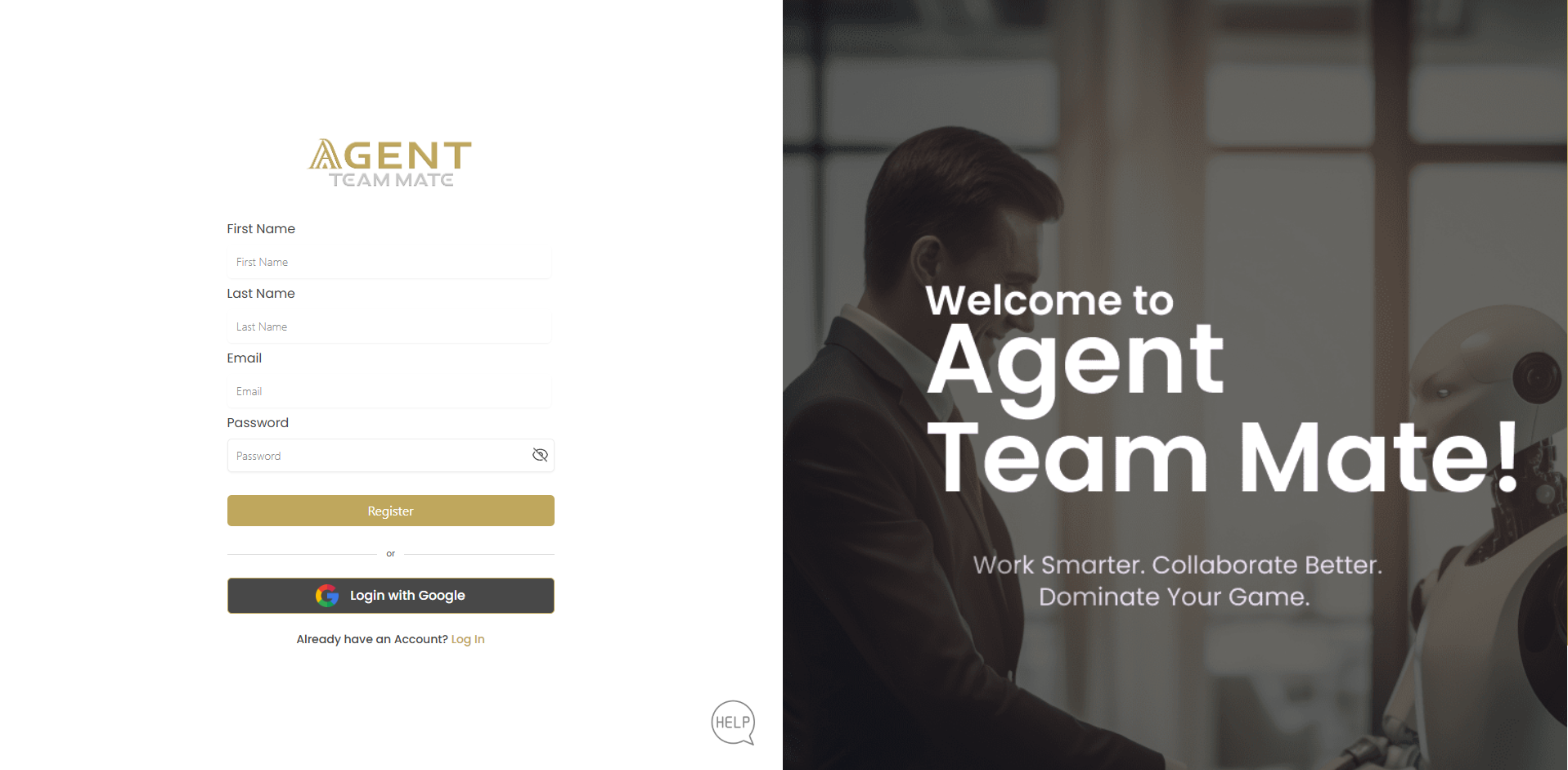
Access the Registration Page
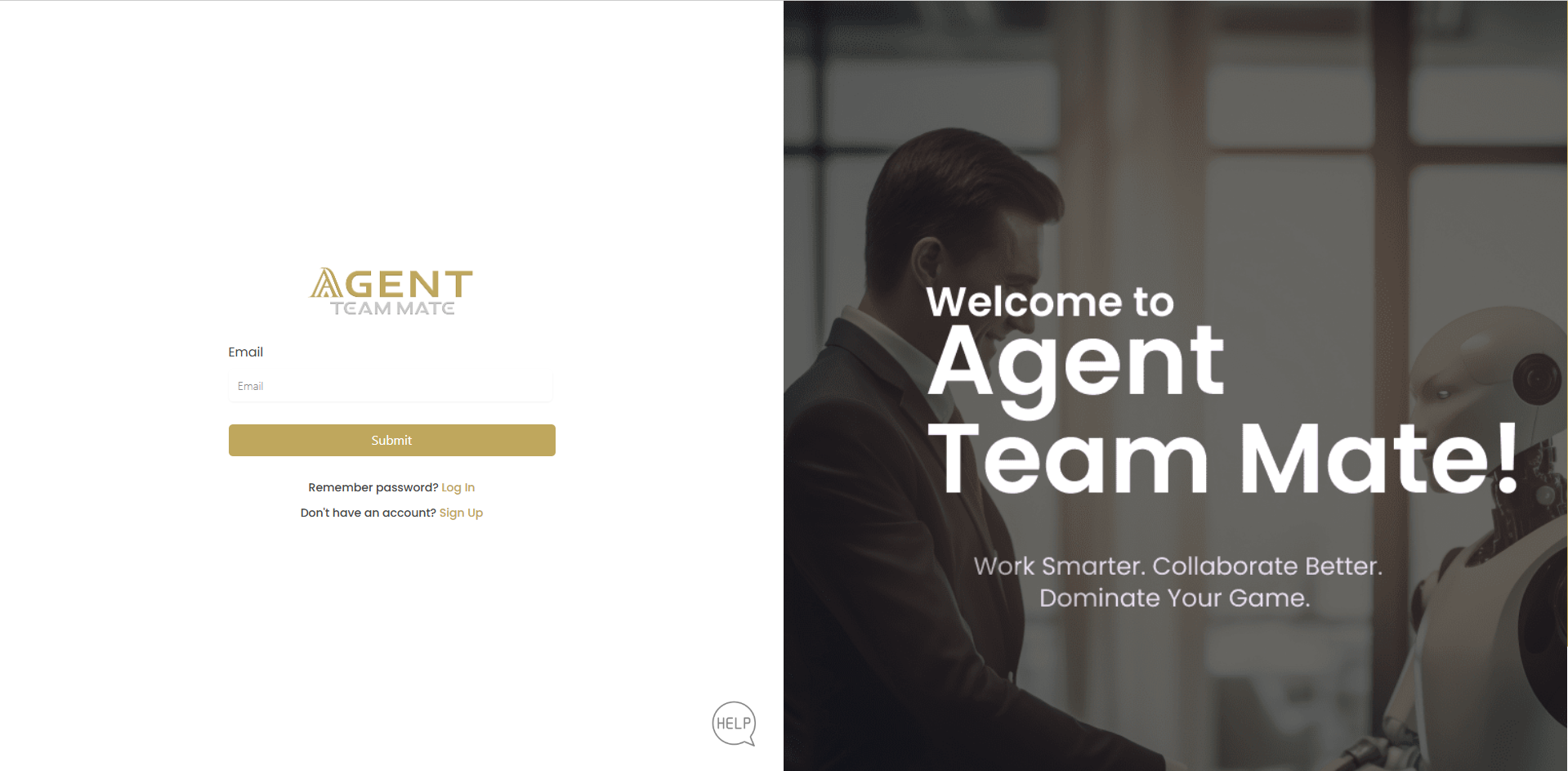
Navigate to the Agent Teammate registration page. You'll see the welcoming interface with the tagline "Work Smarter. Collaborate Better. Dominate Your Game."
Enter Your Personal Information
Fill in the registration form with your details:
- First Name: Your professional first name
- Last Name: Your professional last name
- Email: Use your professional email address
- Password: Create a strong, secure password
Complete Registration
Click the button to submit your information and create your account.
Alternative Registration Option
You can also register quickly using your Google account by clicking for faster access.
Email Verification Process
After successful registration, you'll need to verify your email address to activate your account and ensure secure access to all Agent Teammate features.
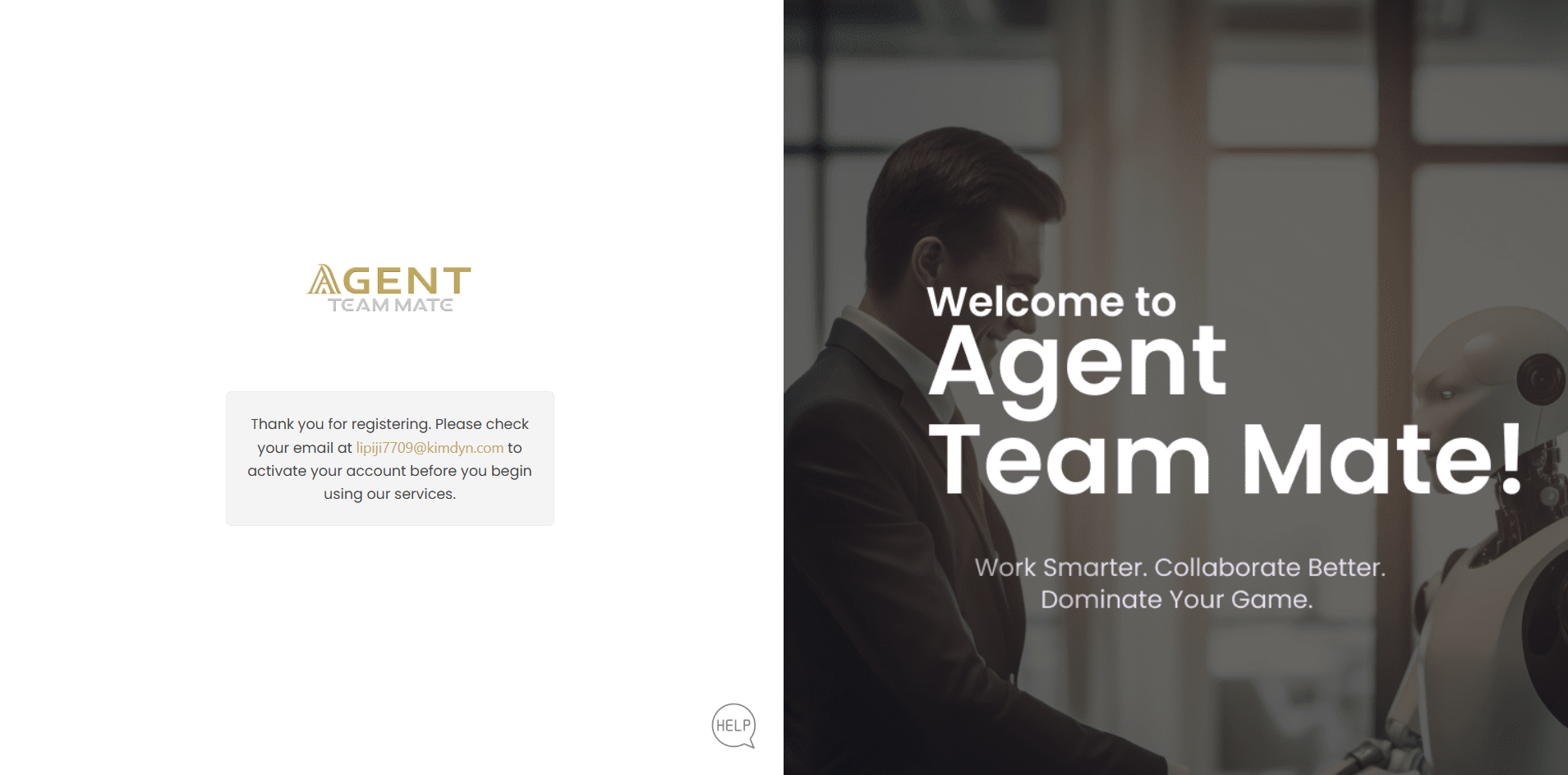
Confirmation Message
After registering, you'll see a confirmation message stating: "Thank you for registering. Please check your email at your-email@domain.com to activate your account before you begin using our services."
Check Your Email
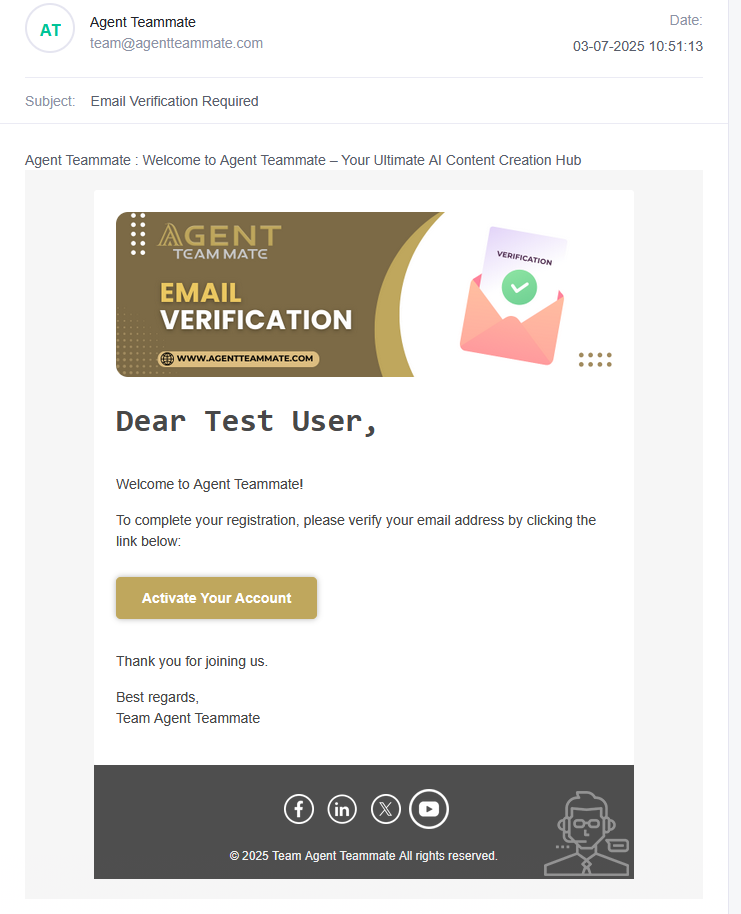
Look for an email from Agent Teammate with the subject "Email Verification Required". Check your spam/junk folder if you don't see it in your inbox within a few minutes.
Activate Your Account
Open the verification email and click the button to complete the verification process.
Signing In to Your Account
Once your email is verified, you can access your Agent Teammate account using multiple sign-in methods.
Navigate to Login Page
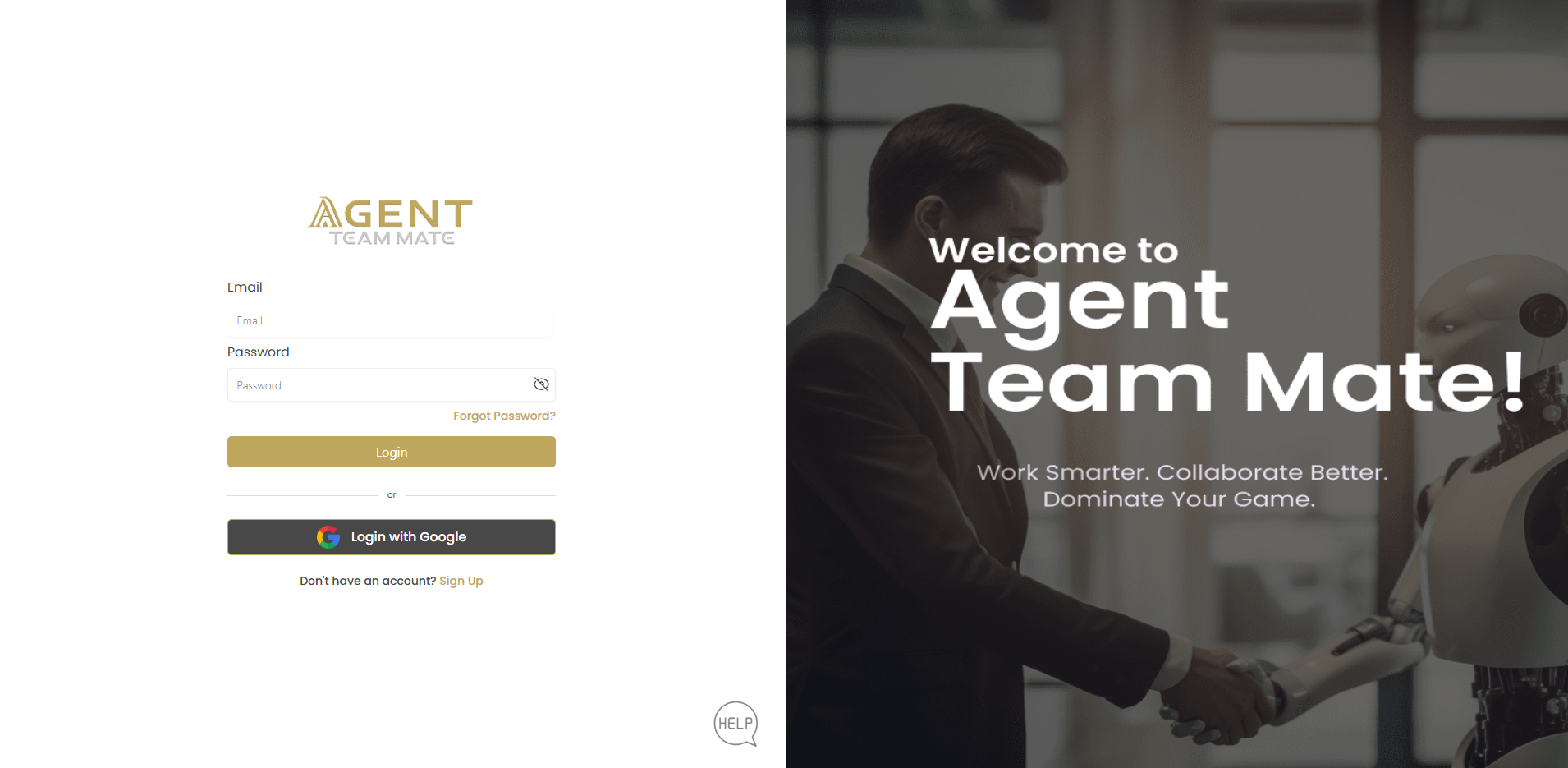
Go to the Agent Teammate login page where you'll see the clean, professional interface.
Enter Your Credentials
Input your login information:
- Email: The email address you registered with
- Password: Your secure password
Access Your Account
Click the button to access your personalized dashboard.
Google Sign-In Option
Alternatively, use for quick access if you registered with Google.
Password Recovery
If you forget your password, Agent Teammate provides a simple recovery process to regain access to your account.
Access Password Reset
On the login page, click the link.
Enter Your Email
Provide the email address associated with your Agent Teammate account.
Submit Reset Request
Click to receive password reset instructions.
Check Your Email
Look for a password reset email and follow the instructions to create a new password.
Remember Your Password
If you remember your password, click "Remember password? " to return to the login form.
Your Agent Teammate Dashboard
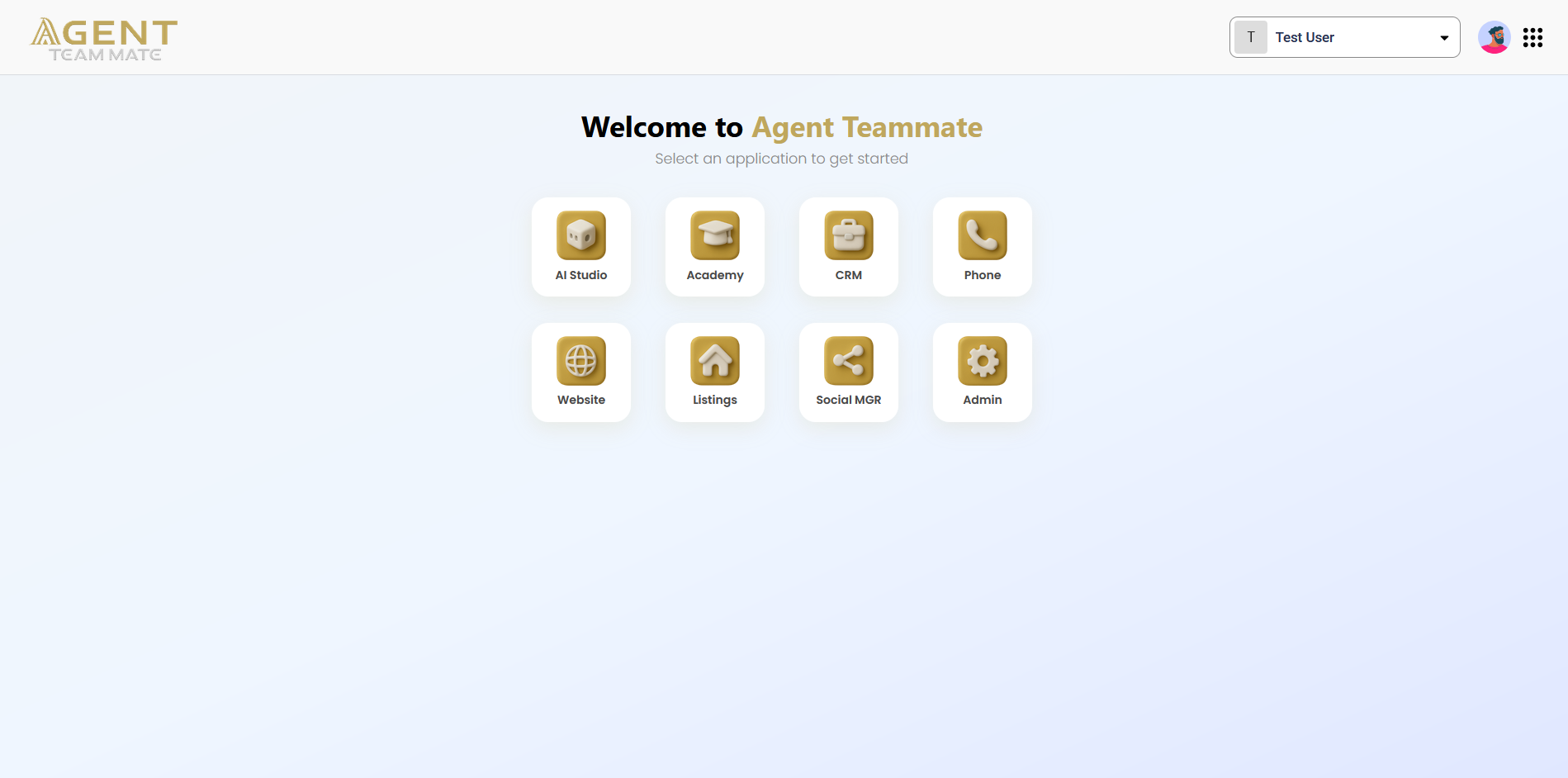
After successful login, you'll be welcomed to your personalized Agent Teammate dashboard, your central hub for AI-powered content creation and collaboration.
Welcome Message
You'll see "Welcome to Agent Teammate" with the subtitle "Select an application to get started"
Available Applications
Your dashboard provides access to eight powerful applications:
| Application | Icon | Purpose |
|---|---|---|
| AI Studio | Advanced AI content creation and automation tools | |
| Academy | Training resources and educational content | |
| CRM | Customer relationship management system | |
| Phone | Integrated calling and communication features | |
| Website | Website builder and management tools | |
| Listings | Property listing management and optimization | |
| Social MGR | Social media management and scheduling | |
| Admin | Account settings and administrative controls |
Troubleshooting Common Issues
Login Problems
| Issue | Solution |
|---|---|
| Email not verified | Check your email for verification message and click the activation link |
| Forgot password | Use the "Forgot Password?" link to reset your password |
| Google login not working | Ensure you're using the same Google account used for registration |
| Account locked | Contact support if you've tried multiple incorrect passwords |
Email Verification Issues
- No verification email: Check spam/junk folder, wait 5-10 minutes, or request a new verification email
- Expired verification link: Request a new verification email from the login page
- Link not working: Copy and paste the full URL into your browser address bar
Security Best Practices
Account Security Tips
- Use a strong, unique password for your Agent Teammate account
- Enable two-factor authentication when available
- Log out when using shared or public computers
- Regularly update your password
- Never share your login credentials
- Report any suspicious activity immediately