Workspace Settings
Complete guide to managing workspace configuration, users, roles, and organizational structure
Overview
The Workspace Settings module is your central hub for managing all aspects of your Agent Teammate workspace. As an administrator, you have complete control over workspace configuration, user management, security settings, and organizational structure.
Administrator Access Required
This section requires administrator privileges. Contact your workspace administrator if you need access to these features.
- Workspace configuration and branding
Workspace Settings
Configure your workspace identity, branding, and basic settings to create a personalized environment for your team.
Access Workspace Settings
Navigate to the Workspace Admin section in the left sidebar and select Settings.
Configure Basic Information
Set up your workspace identity:
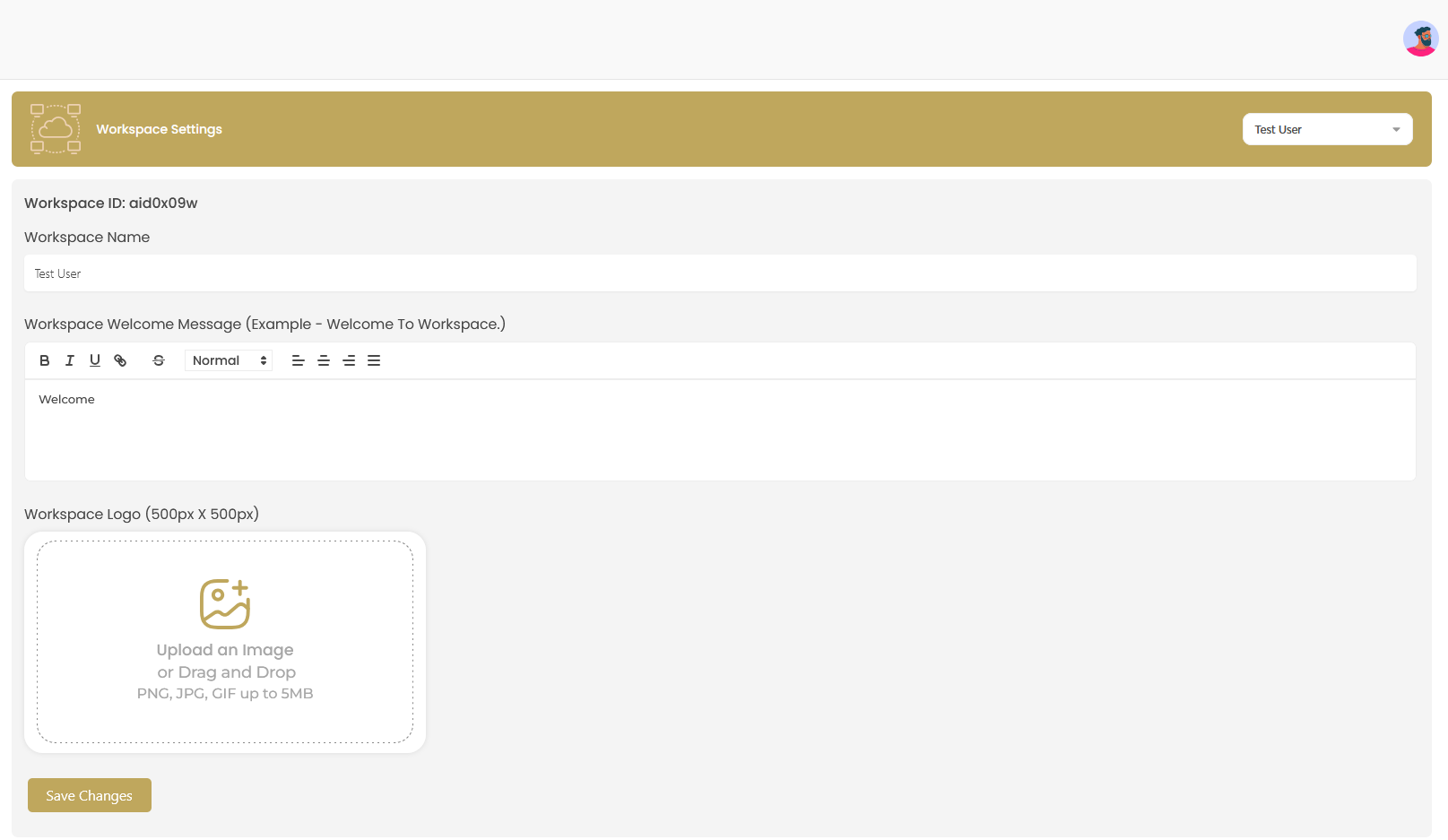
- Workspace ID: Unique identifier (automatically generated)
- Workspace Name: Display name for your organization
- Welcome Message: Custom greeting message for team members
Upload Workspace Logo
Add your company branding by uploading a workspace logo (500px x 500px recommended). Supports PNG, JPG, GIF formats up to 5MB.
Save Changes
Click to apply your workspace configuration.
Branding Tips
- Use a square logo format for best results
- Keep welcome messages concise and professional
- Choose a workspace name that reflects your brand identity
- Ensure logo files are optimized for web use